Schindler 3100/3300/6300 J 43402603 / 01 96/269
Copyright © 2017 INVENTIO AG
4.9.4 Fixtures Keypad Configuration
4.9.4.1 FI GS100 COP Configuration
FI GS100 1-N keypad COP
[43402603_013; 28.07.2017]
FI GS100 10 keypad COP
FI GS 10 keypad COP will be configured automatically after COP detection (Menu 129).
No Step
1
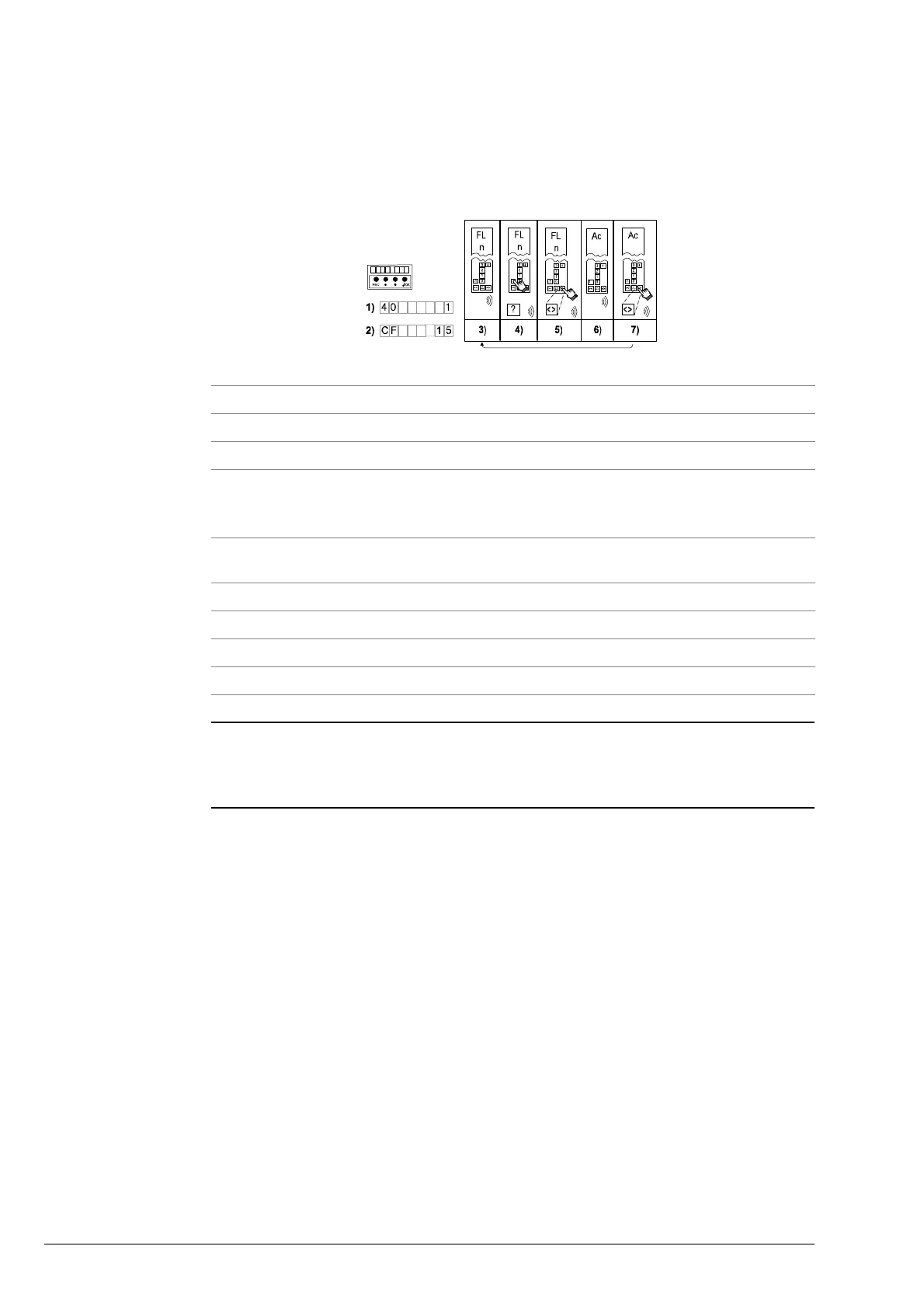
Enter the configuration mode menu 40.
2 Choose CF15, PA1
3 The HMI displays [CF15_ _ _]. The COP beeps once and shows “FL” and “n”.
(“n” stands for the floor which is ready to configure).
The COP 1-N keypad configuration starts always with the lowest floor.
4 Press the corresponding push button of the floor which is displayed on the
COP
5 Press “DT-O” to confirm your choice
6 The COP shows “Ac”. The push button is configured
7 Press “DT-O” to continue with the next higher floor
8 Repeat the steps 3 ... 7 for all the next higher floor levels (1 → 2 → 3, etc.)



 To Next Page