Schindler 3100/3300/6300 J 43402603 / 01 98/269
Copyright © 2017 INVENTIO AG
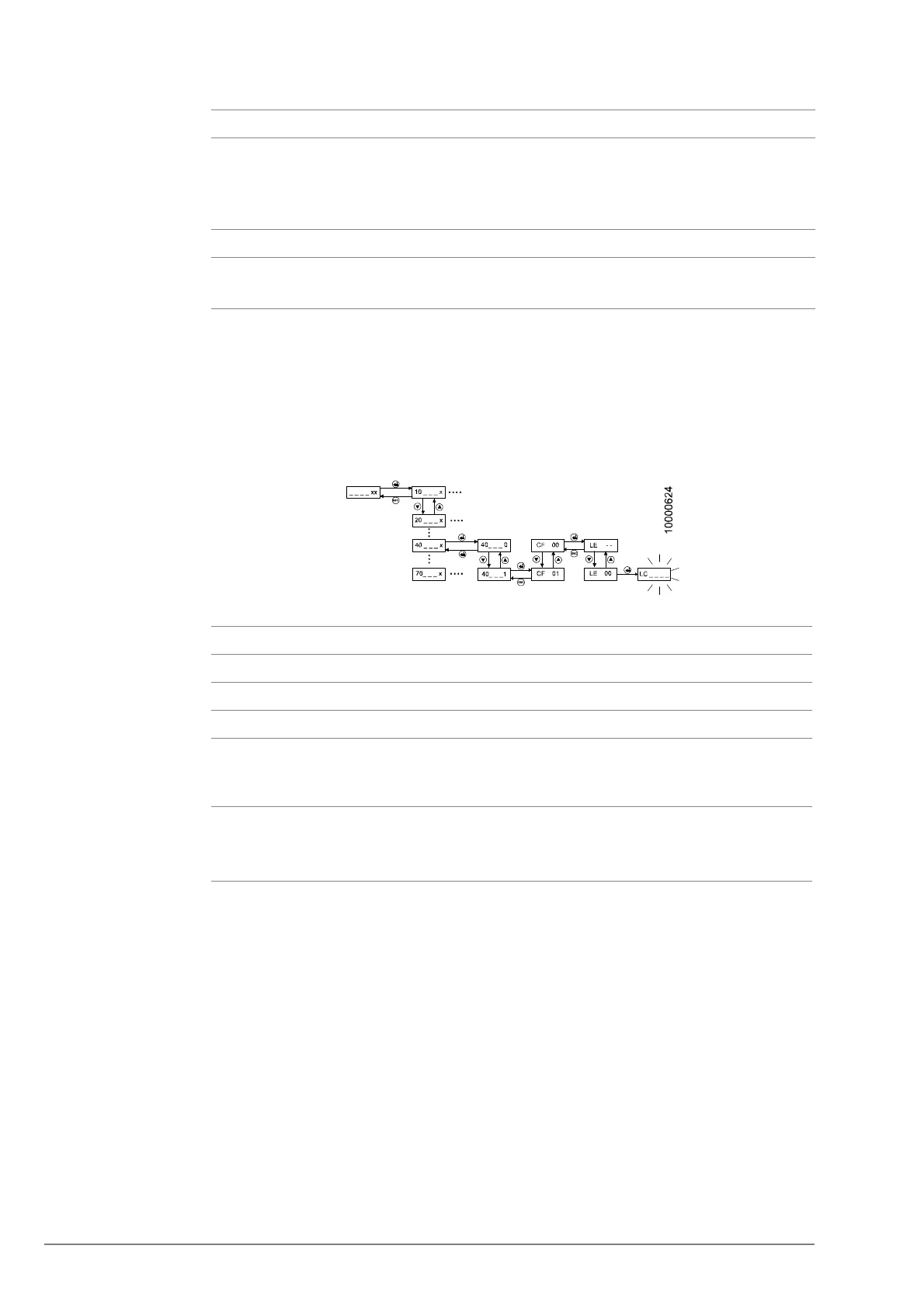
Step 2: LOP counting [LC _ _ ]
– LOP counting should start automatically after each LOP addressing in CF00 or after
some configuration changes (CF40 or CF 60-80) on a BIO bus node. If it does not
start automatically, it must be started manually.
– Manual LOP counting must also be performed after replacing the microprocessor
PCB. To manually do the LOP count via COP, select CF 00, press DTO, press 0 and
DTO again. The COP shows “LC” during the LOP count.
[25822; 13.02.2008]
7 Press the DT-O to confirm the correct configuration of the just configured LOP.
The COP answers with a beep.
→ The CPID shows “LE” again.
→ The ACID shows next floor up.
8 Repeat the LOP configuration steps for each floor and each door side.
9 When all floors are configured, disable the configuration mode.
This starts the LOP counting automatically.
No User Interaction HMI
1
Enter configuration mode menu 40.
2 Choose CF00 and confirm with “OK”. LE - -
3 Change with the UP/DOWN button to [LE 00] LE 00
4 Press "OK".
→ LOP counting is indicated by blinking [LC_ _ _ _]. This can
take up to several minutes.
LC _ _ _ _
5 After LOP counting is finished leave configuration mode by
pressing “ESC” and by deactivating menu 40.
(Change [40_ _ _1] to [40_ _ _0] and press “OK”)
40 1
40 0
40
No Step



 To Next Page