EasyManua.ls Logo

Schlage FE575 - User Manual

Schlage FE575
48 pages
Print Icon
To Next Page IconTo Next Page
Loading...
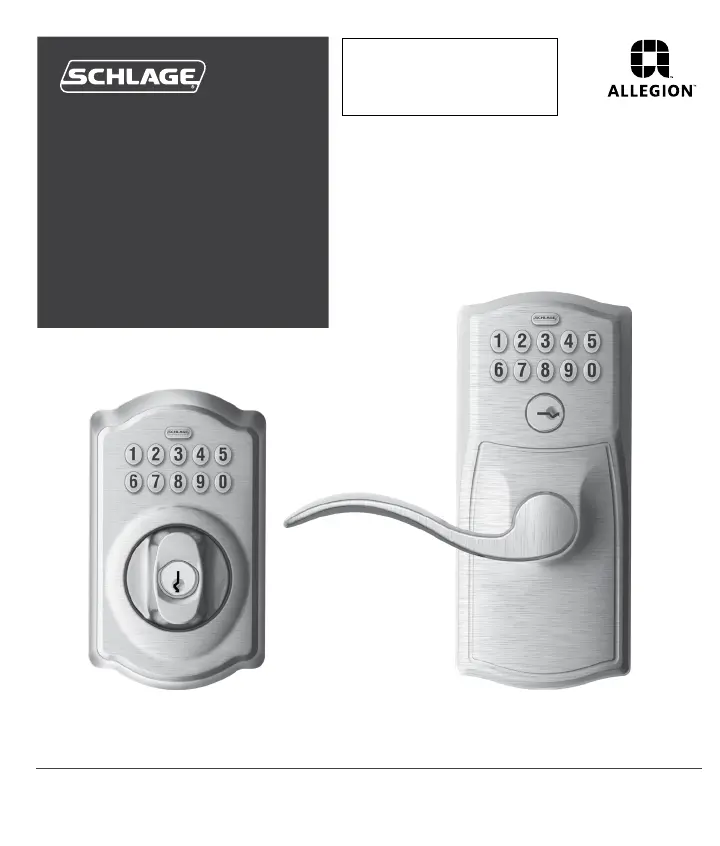
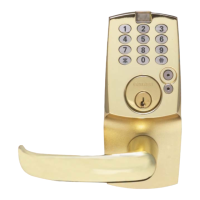
BE365 FE575/FE595
Keypad
Locks
User Guide
PLEASE KEEP THIS GUIDE
You will need these codes to operate
your lock!
CONSERVE ESTA GUÍA
¡Necesitará estos códigos para operar
la cerradura!
VEUILLEZ CONSERVERCE GUIDE
Vous aurez besoin de ces codes pour
faire fonctionner la serrure!
Place Label Here
Poner la etiqueta aquí
Placer l’autocollant ici
Default Codes
Códigos de predeterminado
Codes du défaut

Table of Contents

Other manuals for Schlage FE575

Questions and Answers

  • J
    Jessica EllisSep 9, 2025
    Why can't I delete a User Code on my Schlage door lock?
    • J
      Julie CunninghamSep 9, 2025
      If you cannot delete a User Code on your Schlage door lock, it's possible that the second User Code entered did not match the first User Code entered.
  • A
    Andrew CrawfordSep 7, 2025
    Why can't I change the Programming Code on my Schlage door lock?
    • K
      Kevin BaileySep 7, 2025
      If you cannot change the Programming Code on your Schlage door lock, it could be because the second Programming Code entered did not match the first one, or the first four digits of the new Programming Code match an existing User Code.
  • E
    Erik ArmstrongAug 22, 2025
    Why is my Schlage door lock blinking red?
    • M
      Mrs. Melissa ManningAug 22, 2025
      If your Schlage door lock is blinking red and no codes have been entered, the battery is dead and must be replaced.
  • O
    operezSep 5, 2025
    Why can't I add a new User Code to my Schlage door lock?
    • D
      Deborah BrewerSep 5, 2025
      If you cannot add a new User Code to your Schlage door lock, it may be because 19 User Codes already exist. Delete a User Code before adding a new one.
  • O
    oriveraSep 4, 2025
    How to delete forgotten User Codes on Schlage door locks?
    • J
      Justin ThomasSep 4, 2025
      To delete a User Code that you don’t remember on your Schlage door lock, delete all User Codes. Then, add all needed User Codes back into the lock.
  • J
    James WilliamsSep 2, 2025
    Why is there a delay before unlock after entering a valid User Code on my Schlage door lock?
    • K
      Kimberly AdamsSep 2, 2025
      If you're experiencing a delay before the Schlage door lock unlocks after entering a valid User Code, the battery is likely low and should be replaced.
  • B
    Brandon MartinezSep 1, 2025
    Why does my Schlage door lock keypad not light up when I press the numbers?
    • D
      Danielle FlemingSep 1, 2025
      If the Schlage door lock keypad does not light up when the numbers are pressed, it may be because too many incorrect user codes have been entered. Wait 30 seconds and try again. If the keypad still doesn't respond after 30 seconds, replace the battery.
  • C
    Chris StoutAug 31, 2025
    Why does my Schlage FE575 keypad not light up when numbers are pressed?
    • L
      Leah SmithAug 31, 2025
      If your Schlage lock's keypad doesn't light up when you press the numbers, it could be due to a couple of reasons. First, too many incorrect User Codes might have been entered. In this case, wait 30 seconds and try again. If the keypad still doesn't respond after 30 seconds, the battery might need replacing.
  • D
    Dorothy HoffmanAug 30, 2025
    How to find the default programming code for Schlage door locks?
    • J
      Jane SotoAug 30, 2025
      To find your Programming Code, check the front of the Keypad Locks Programming Guide or the back of the keypad assembly for the default Programming Code. If needed, you can restore the lock to factory settings.
  • T
    tracypatelAug 28, 2025
    What to do if Schlage door lock does not light up when numbers are pressed?
    • C
      carollaneAug 28, 2025
      If your Schlage door lock doesn't light up when you press the numbers, it could be due to a couple of reasons. First, too many incorrect User Codes might have been entered. Wait 30 seconds and try again. If the keypad still doesn't respond after 30 seconds, you may need to replace the battery.

Summary

Keypad Deadbolt Operations

Deadbolt Key Override

Details how to gain access using a key for the BE365 when the battery is dead or codes are unknown.

Deadbolt Lock Override

Explains how to disable the keypad for security using a key override on the BE365 deadbolt.

Programming Guide

Basic Controls

Adding User Codes

Step-by-step guide to adding new user codes to the lock using the programming code.

Deleting User Codes

Step-by-step guide to removing existing user codes from the lock.

Changing the Programming Code

Instructions for updating the main programming code for the lock.

Enhanced Controls

Troubleshooting

Common Lock Issues

Addresses various lock malfunctions, from unlocking problems to unresponsive buttons and battery indicators.

Programming Issues

Solutions for problems encountered when adding, deleting, or changing user and programming codes.

Restore Factory Settings

Schlage FE575 Specifications

General IconGeneral
Keypad TypeElectronic
MaterialMetal
FinishSatin Nickel
KeywaySchlage C
Number of Codes19
BacksetAdjustable 2-3/8" or 2-3/4"
Door Thickness1-3/8" to 1-3/4"
Key OverrideYes
Auto-Lock FeatureYes
One-Touch LockingYes
AlarmNo
Weather ResistanceYes
Battery Type9V
CompatibilityStandard doors

Related product manuals