Why can't I delete a User Code on my Schlage door lock?
- JJoel TaylorSep 9, 2025
If you cannot delete a User Code on your Schlage door lock, it's possible that the second User Code entered did not match the first User Code entered.


Why can't I delete a User Code on my Schlage door lock?
If you cannot delete a User Code on your Schlage door lock, it's possible that the second User Code entered did not match the first User Code entered.
Why can't I change the Programming Code on my Schlage door lock?
If you cannot change the Programming Code on your Schlage door lock, it could be because the second Programming Code entered did not match the first one, or the first four digits of the new Programming Code match an existing User Code.
Why is my Schlage door lock blinking red?
If your Schlage door lock is blinking red and no codes have been entered, the battery is dead and must be replaced.
Why can't I add a new User Code to my Schlage door lock?
If you cannot add a new User Code to your Schlage door lock, it may be because 19 User Codes already exist. Delete a User Code before adding a new one.
How to delete forgotten User Codes on Schlage door locks?
To delete a User Code that you don’t remember on your Schlage door lock, delete all User Codes. Then, add all needed User Codes back into the lock.
Why is there a delay before unlock after entering a valid User Code on my Schlage door lock?
If you're experiencing a delay before the Schlage door lock unlocks after entering a valid User Code, the battery is likely low and should be replaced.
Why does my Schlage door lock keypad not light up when I press the numbers?
If the Schlage door lock keypad does not light up when the numbers are pressed, it may be because too many incorrect user codes have been entered. Wait 30 seconds and try again. If the keypad still doesn't respond after 30 seconds, replace the battery.
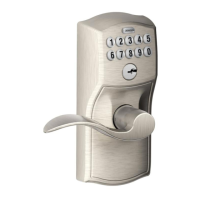
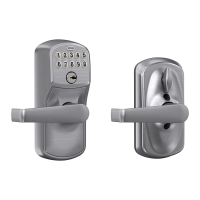
Why does my Schlage FE595 Locks keypad not light up when numbers are pressed?
If your Schlage lock's keypad doesn't light up when you press the numbers, it could be due to a couple of reasons. First, too many incorrect User Codes might have been entered. In this case, wait 30 seconds and try again. If the keypad still doesn't respond after 30 seconds, the battery might need replacing.
How to find the default programming code for Schlage door locks?
To find your Programming Code, check the front of the Keypad Locks Programming Guide or the back of the keypad assembly for the default Programming Code. If needed, you can restore the lock to factory settings.
What to do if Schlage door lock does not light up when numbers are pressed?
If your Schlage door lock doesn't light up when you press the numbers, it could be due to a couple of reasons. First, too many incorrect User Codes might have been entered. Wait 30 seconds and try again. If the keypad still doesn't respond after 30 seconds, you may need to replace the battery.
Instructions for locking and unlocking the BE365 keypad deadbolt from the outside.
How to use the physical key to gain access when the battery is dead or codes are unknown.
Instructions for locking and unlocking FE575 (Auto Lock) and FE595 (Flex Lock) models.
How to use the physical key for access when the battery is dead or codes are unknown.
Details the Programming Code (six digits) and User Codes (four digits) for lock management.
Guides on adding/deleting User Codes and changing the Programming Code via keypad.
Instructions for Vacation Mode, Beeper settings, and deleting all user codes.
Deadbolt unlocks without code; indicates incorrect installation. Repeat installation steps.
Deadbolt does not extend after operation. Check Lock & Leave feature status.
| Brand | Schlage |
|---|---|
| Model | FE595 |
| Material | Metal |
| Style | Lever |
| Keypad | Yes |
| Number of User Codes | 19 |
| Compatibility | Standard doors |
| Backset | Adjustable 2-3/8" or 2-3/4" |
| Keyway | Schlage C |
| Handing | Reversible |
| Finish | Satin Nickel |
| Battery | 9V |
| Security | Grade 2 |
| Warranty | Limited Lifetime |
Loading...