Operating Instructions
VACUMASTER
J. Schmalz GmbH
Aacher Straße 29
D - 72293 Glatten
Tel +49 +7443 / 2403 - 0
Fax +49 +7443 / 2403 - 259
http://www.schmalz.de
e-mail: schmalz@schmalz.de
30.30.01.00185 Status 03.2013 / Index 00 Page 12 / 28
Switches the vacuum pump on/off
For connecting and regulating compressed air
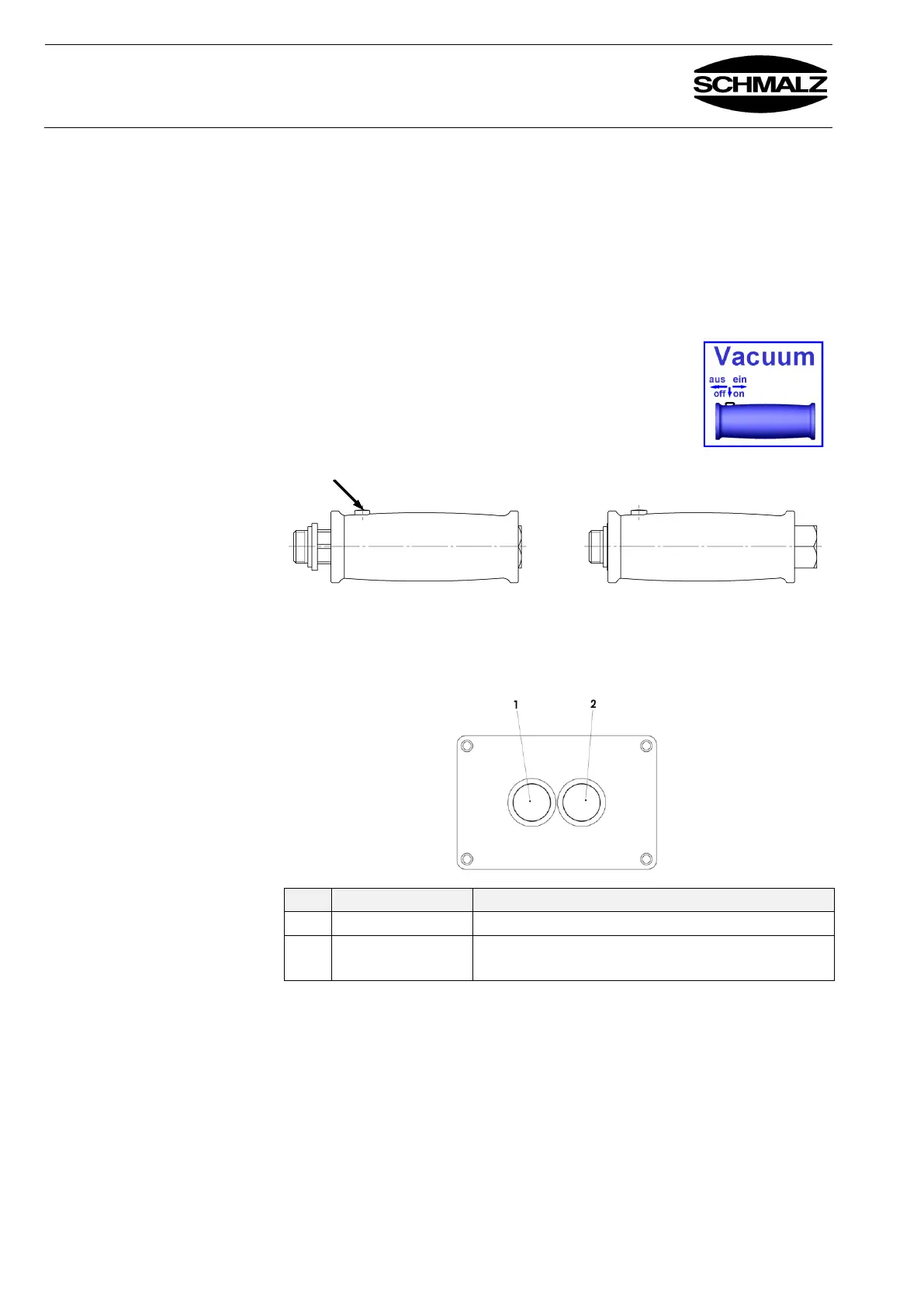
Manual sliding valve on
operating lever
Picks up and releases the load:
Push right = Pick up load, hold
Push left = Release load
(against spring tension)
You must press the locking button to move the manual
sliding valve to the "Pick up load" or "Release load"
positions.
Buttons on the
controller*
For rotating (90°) or turning (180°) the load.
Rotates or turns the load 90° or 180°
Rotates or turns the load to the start position
* None on device for horizontal handling


 To Next Page