EasyManua.ls Logo

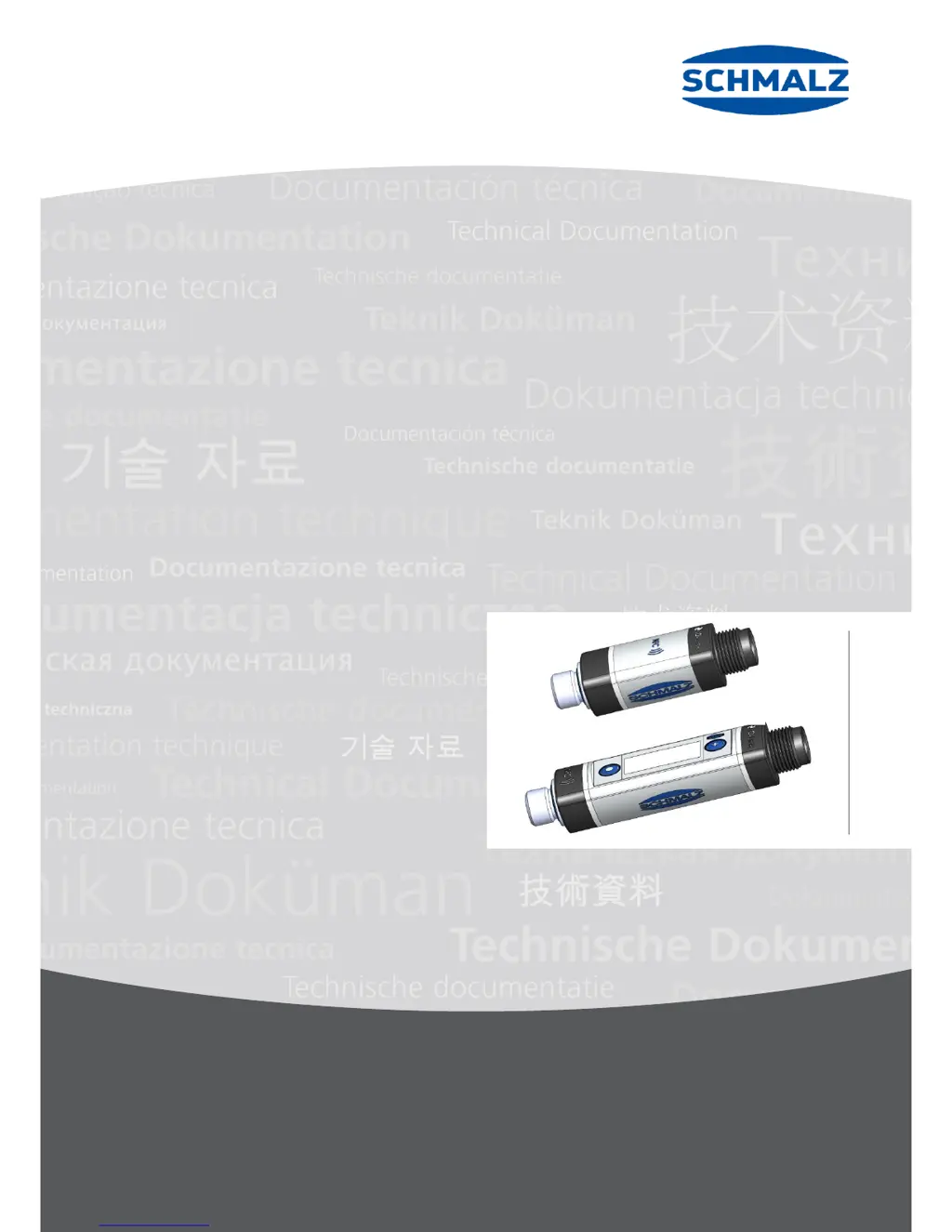
Schmalz VSi Series - User Manual

Schmalz VSi Series
43 pages
Print Icon
To Next Page IconTo Next Page
Loading...
www.schmalz.com
Innovative Vacuum Automation
EN
Operating Instructions
VSi-…/VSi--D vacuum/pressure switch
30.30.01.00956/01 | 03.2019

Table of Contents

Questions and Answers

  • T
    Tracy MillerAug 13, 2025
    What to do if Schmalz Switch has no output signal?
    • U
      ufergusonAug 14, 2025
      If your Schmalz Switch isn't producing an output signal, there are a few things to check: * First, ensure the electrical connections and pin assignments are correct. * Second, verify that the transistor function (PNP/NPN) matches the device's electrical setup; adjust if needed. * Finally, confirm that the switching logic (NO/NC) is properly configured and adjust if it’s inverted.
  • O
    oflowersAug 17, 2025
    Why is there no IO-link communication with Schmalz VSi?
    • C
      Christopher PriceAug 17, 2025
      If you're experiencing no IO-Link communication with your Schmalz Switch, start by checking the electrical connections and pin assignments to ensure they are correct. Also, verify the master configuration to confirm that the port is set to IO-Link.
  • L
    Lisa LevyAug 21, 2025
    How to fix no display on Schmalz VSi Switch screen (VSi...D)?
    • K
      kelleyeileenAug 21, 2025
      If there is no display on the screen of your Schmalz Switch (VSi...D), it might be due to the Eco mode being activated. Try pressing a button or deactivating the Eco mode. Also, check the electrical connection and pin assignment to ensure they are correct.
  • H
    Holly HaleyAug 25, 2025
    What to do if there is no NFC communication with Schmalz Switch?
    • A
      Alexander GarzaAug 25, 2025
      If your Schmalz Switch isn't communicating via NFC, ensure the NFC connection between the switch and reader (like your cell phone) is clean by holding the reader at the intended position on the switch. Also, make sure the NFC function is activated on the reader. Check if NFC via IO-Link is deactivated and activate it if so. If the write operation is canceled, hold the reader at the intended position on the switch for a longer duration.
  • J
    Joshua JohnsonAug 28, 2025
    Why does Schmalz VSi Switch show “Leakage too high” warning when the cycle is optimal?
    • R
      Robin WatsonAug 28, 2025
      If you're getting a 'Leakage too high' warning message on your Schmalz Switch, even when the handling cycle is working optimally, it could be that the limit value L-x (permissible leakage per second) is set too low. Determine typical leakage values in a good handling cycle and set that as the limit value. Also, the threshold values SPx and rPx for leakage measurement might be set too low; adjust these so there's a clear differentiation between the neutral and suction system statuses.
  • R
    reynoldskimberlySep 1, 2025
    Why doesn't Schmalz VSi show “Leakage too high” warning with high leakage?
    • K
      Katelyn RodgersSep 1, 2025
      If the 'Leakage too high' warning message isn't appearing on your Schmalz Switch despite high leakage in the system, the limit value L-x (permissible leakage per second) might be set too high. Determine typical leakage values in a good handling cycle and set that as the limit value. Additionally, the threshold values SPx and rPx for leakage measurement could be set too high. Adjust these thresholds to ensure a clear differentiation between the neutral and suction system statuses.
  • J
    Jose BensonSep 4, 2025
    How to enable NFC parameter changes on Schmalz Switch?
    • S
      sullivanmarySep 4, 2025
      If you can't change parameters using NFC on your Schmalz Switch, it's possible that the PIN for NFC write protection has been activated via IO-Link. You'll need to release the NFC write permissions through IO-Link.
  • B
    Bobby DoughertySep 8, 2025
    Why is the Schmalz Switch master or peripheral power supply disturbed?
    • B
      benjamin92Sep 8, 2025
      If the master or peripheral power supply is disturbed on your Schmalz Switch, it may be because the IO-Link master is connected with an IO-Link Class-B port. Try connecting it with an IO-Link Class A Port instead.

Summary

Safety Instructions

Warnings

Explains various warning symbols used in the instructions, such as general warning, vacuum, overpressure, and environmental warnings.

General safety instructions

Provides crucial safety guidelines for handling, installation, and operation to prevent injury or damage.

Intended use

Specifies the authorized purpose of the VSi switch and defines improper use.

Technical Data

Electrical data

Lists electrical parameters such as supply voltage, power consumption, current rating, overload protection, NFC, and IO-link interface details.

Installation and Commissioning

Electrical connection

Guides on connecting the switch electrically, highlighting safety precautions and connection methods.

Interfaces

Digital switching outputs (SIO)

Explains the functionality of the two digital outputs (OUT1, OUT2) for standard I/O operations.

IO-Link

Details the capabilities of the IO-Link interface for digital communication, process data, and parameter access.

NFC

Describes the Near Field Communication functionality for wireless data transfer and parameter access.

Manual Operation of the Display Version

Function Description

Measurement of pressure and;or vacuum

Explains how the switch measures and displays vacuum and pressure values based on its version.

Switching points

Introduces the concept of switching points (SPx) and their applicability to both SP1 and SP2.

Switching point mode and switching point logic

Details the four switching point modes (Two-point, Window, Condition monitoring, Diagnostics) and logic (NO/NC).

Two-point mode

Explains the threshold switch behavior with hysteresis, where switching is active between SPx and rPx.

Window mode

Describes the mode where the switching point is active within a defined upper and lower window point (FHx, FLx).

Condition monitoring mode (leakage measurement)

Details how to monitor vacuum quality by measuring leakage rates between drainage cycles.

Diagnostics mode

Explains how the switch monitors internal warnings and error messages, activating the switching point upon detection.

Write protection for the menu using a PIN code

Details the use of PIN codes to prevent unauthorized parameter changes in the user menu.

PIN code for NFC write protection

Describes how to secure parameter changes made via NFC with a separate PIN code.

Troubleshooting

List of error numbers

Provides a list of error codes, their possible causes, and solutions for troubleshooting issues.

Maintenance and Cleaning

Schmalz VSi Series Specifications

General IconGeneral
BrandSchmalz
ModelVSi Series
CategorySwitch
LanguageEnglish

Related product manuals