5.2-42
005.050.01-EN
After the transmission, the transmitter shuts
off automatically and must be restarted.
8. Remove the link cable and place the bat-
tery cassette into the transmitter.
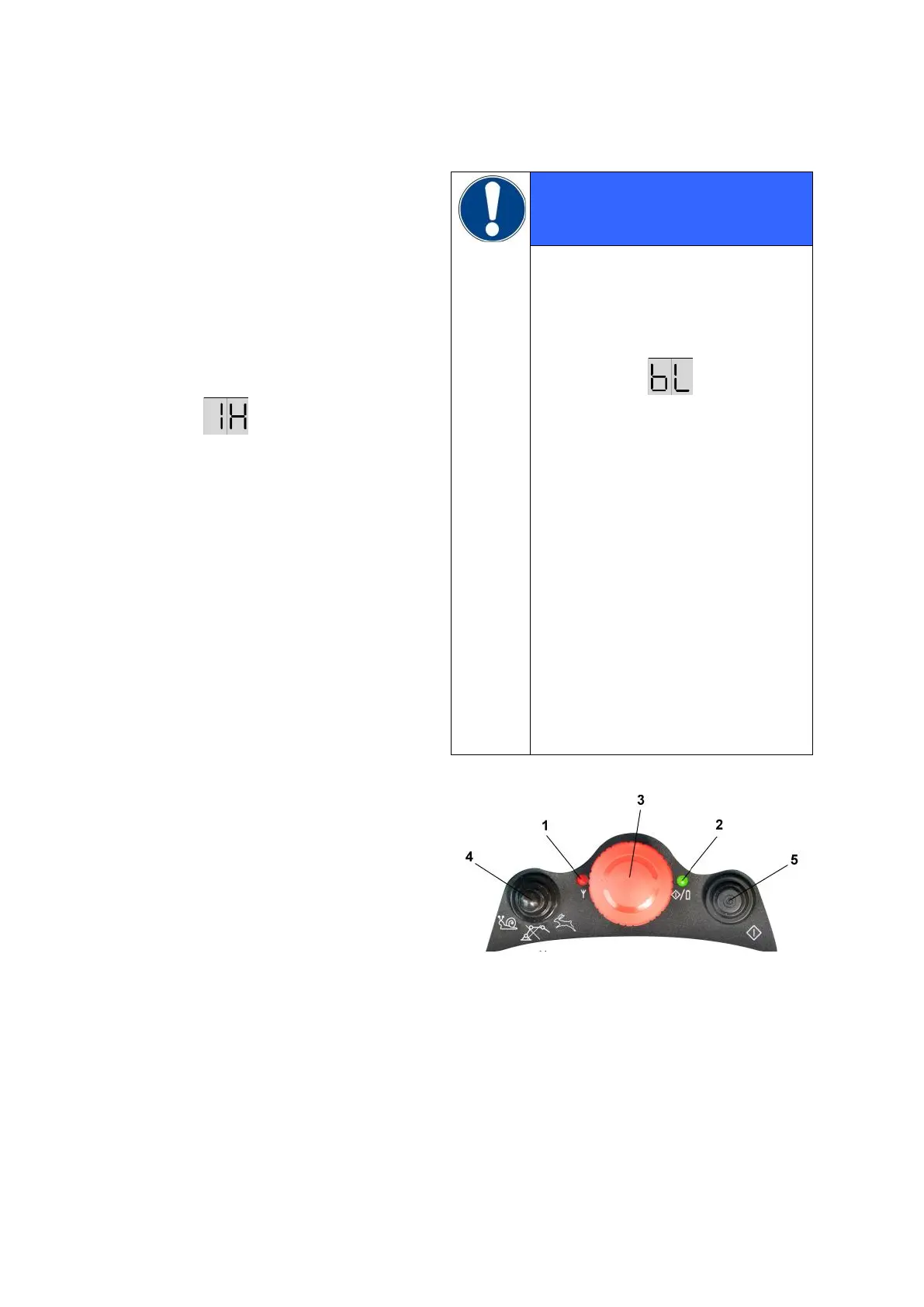
Press and hold pushbutton 5 (Fig. 1) until
LED 2 is lit up permanently.
The receiver display shows the following
message:
(communication by radio)
At the same time, the screen of the VEC-
TOR control displays the message R 14 M
"Pairing process
successfully
terminated"
If the buzzer in the transmitter
sounds longer and if the receiver
display shows the message "bL",
the pairing process has been inter-
rupted.
(ID programming rejected)
At the same time, the screen of
the VECTOR control displays the
message R 15 L
"Pairing process interrupted
after error"
Repeat the process and observe
the time limit between steps 3 and
4.
After system repairs or after unu-
sual behaviour in operation, the
pairing process may need to be
repeated.
Fig. 1


 To Next Page