13
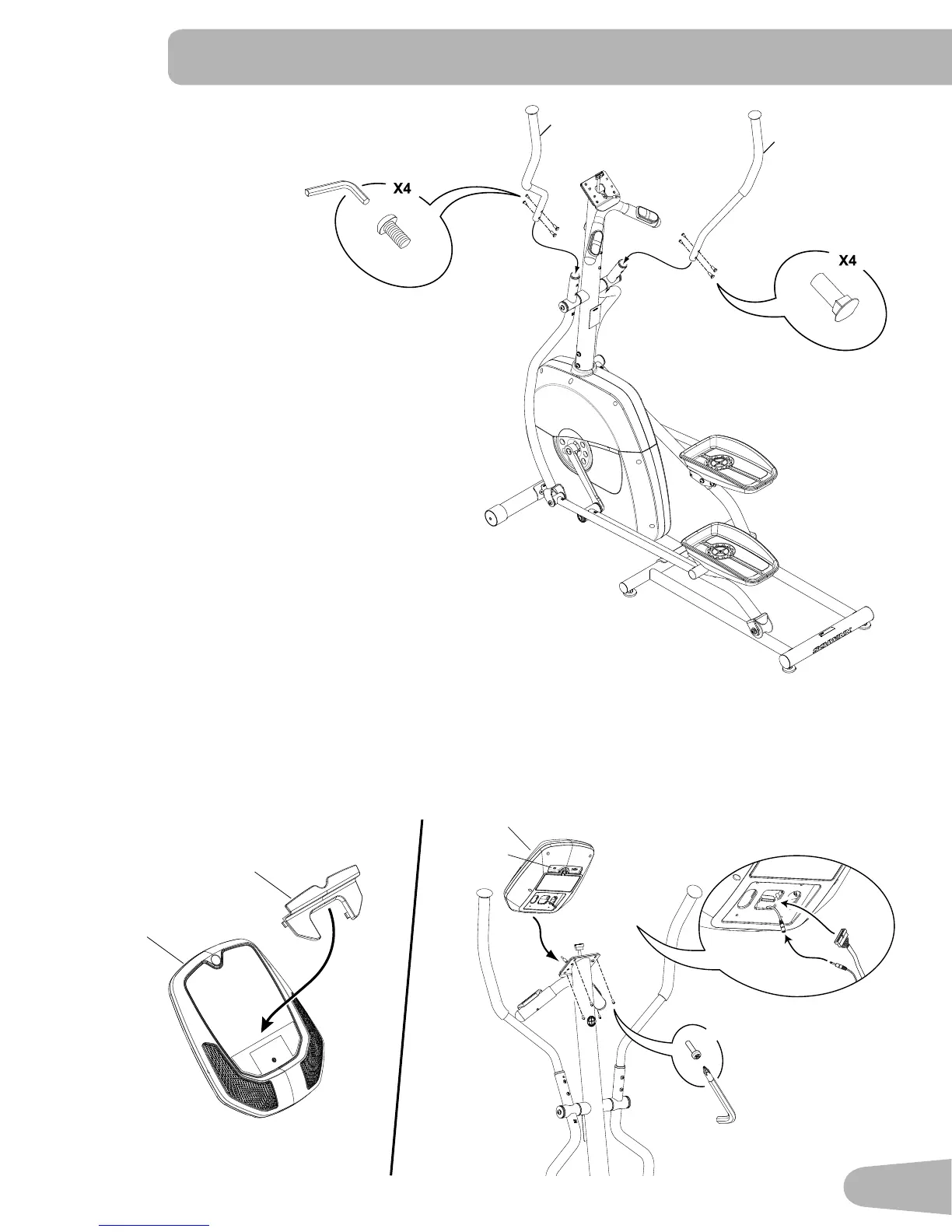
10. Attach Upper Handlebar Arms to Frame Assembly
L
4mm
14
H
15
4
#2
X4
4a
11. Attach Media Tray to Console and Install the Console to the Console Mast
Note: Before you attach the Media Tray, remove the protective plastic film from the front of the console. Be sure the
tabs on the Media Tray snap into the Console.
Remove the pre-installed screws from the back of the Console before you connect the cables.
NOTICE: Do not crimp cables. Make sure that the switch (4a) on the back of the Console is set to E (elliptical).
4
17


 To Next Page