SciAps X-550 Pb QuickStart Guide
16
8.
Exporting tests
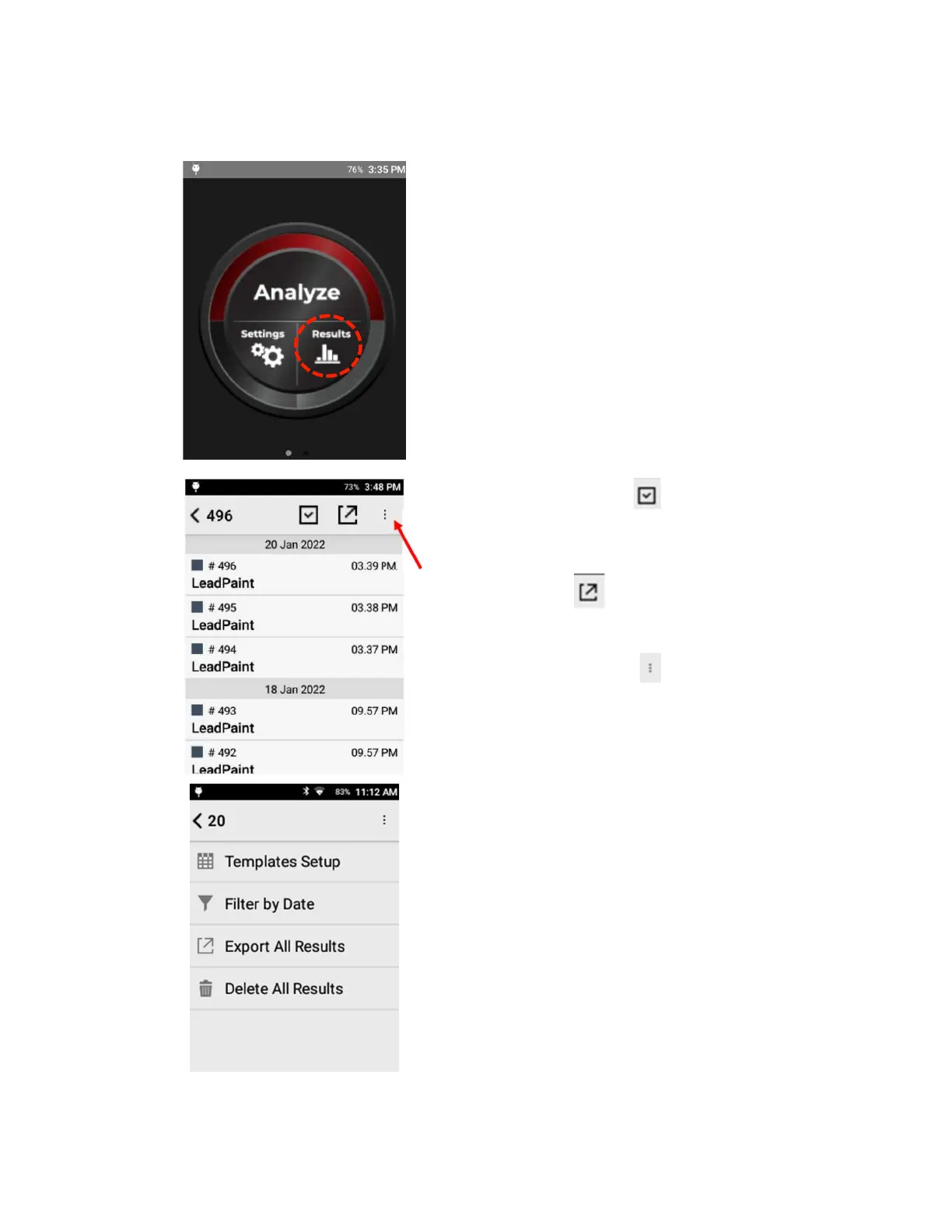
From the Home Screen, tap Results.
Tap the Checkbox button to individually
select multiple tests for export.
Click on any result to view.
Tap Export button to get to export screen.
Tap the Menu button to open export options.
Filter by Date to quickly export a batch of results.
Templates Setup allows user to select which
elements and other fields to export.
Delete All Results will remove all results from the
analyzer software. Be sure to export any needed
results to csv before taking this step. Delete All
Results cannot be undone.
If all results are deleted, the test counter may not
reset to 1.


 To Next Page