SciAps X-550 Pb QuickStart Guide
9
4.
Taking a Test
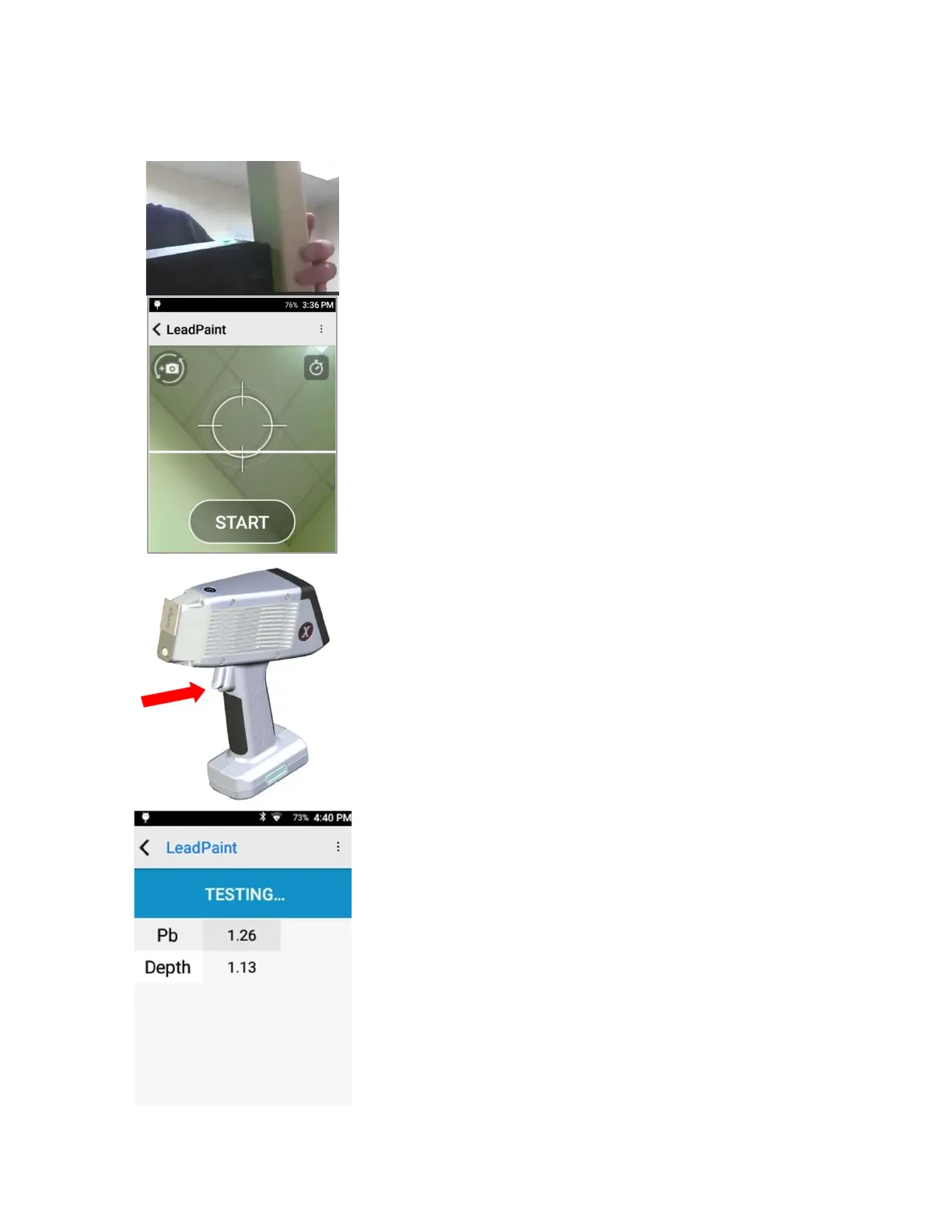
When ready to begin testing material, make sure the analyzer is
flush to the surface.
Use the camera display on the screen to align the properly align
the analyzer with respect to the sample.
Once sample is aligned, tap START.
—OR—
Squeeze (and release) the trigger at the top of the handle.
The test will start.
During test, result looks like this. Live updates will show as test
progresses.
Test will end when max test time is reached (Timed) or once a
Positive or Negative determination can be made (Quick). See
section 7 for more information on Timed and Quick Mode.
User may abort test at any time by pressing the trigger or
clicking the back button (top left) from the live update.


 To Next Page