4.0 Operation Guide |11
4.0 Operation Guide |11
4.0 Operation Guide
4.1 Powering up the system
O
nce all positioning and cable connections are complete you are ready
to switch on your system.
Power on the system using the switch on the front of the 1U rack
controllers. The purple Scientifica logos will illuminate, indicating the
system is powered up.
4.2 Operating the MMTP
Movement of the MMTP is achieved using the user interface supplied.
Functionality of each user interface type is described as follows:
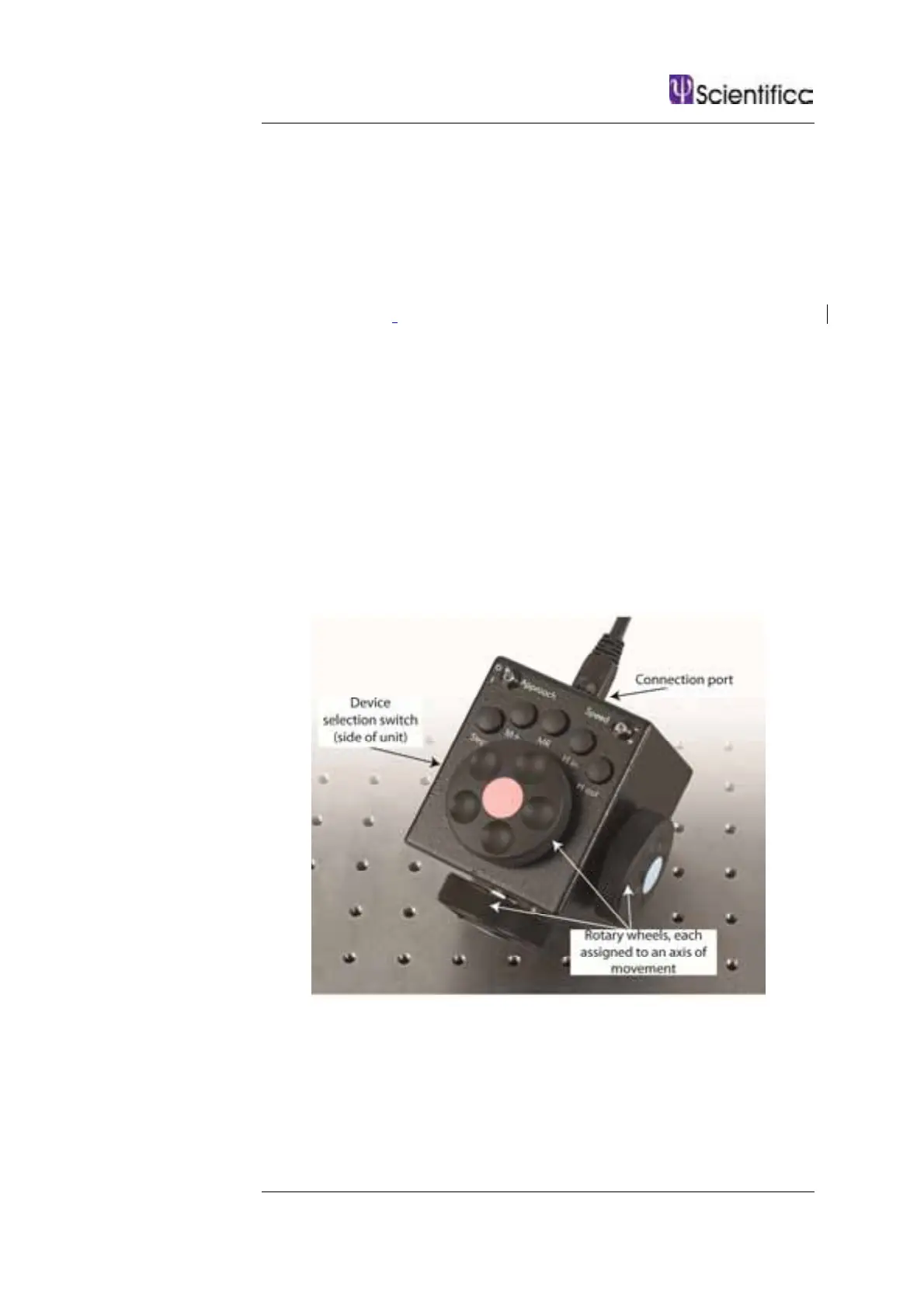
4.2.1 Using a Control Cube
Figure D: Control Cube user interface
Device selection – Located on the side of the cube. Selects which
device to control when two devices and one user interface are
connected to a controller rack. Where only one device is connected,
position II will disable the connected device, preventing unintentional
movement.
Blue wheel – Moves the MMTP left and right (X axis).



 To Next Page