12
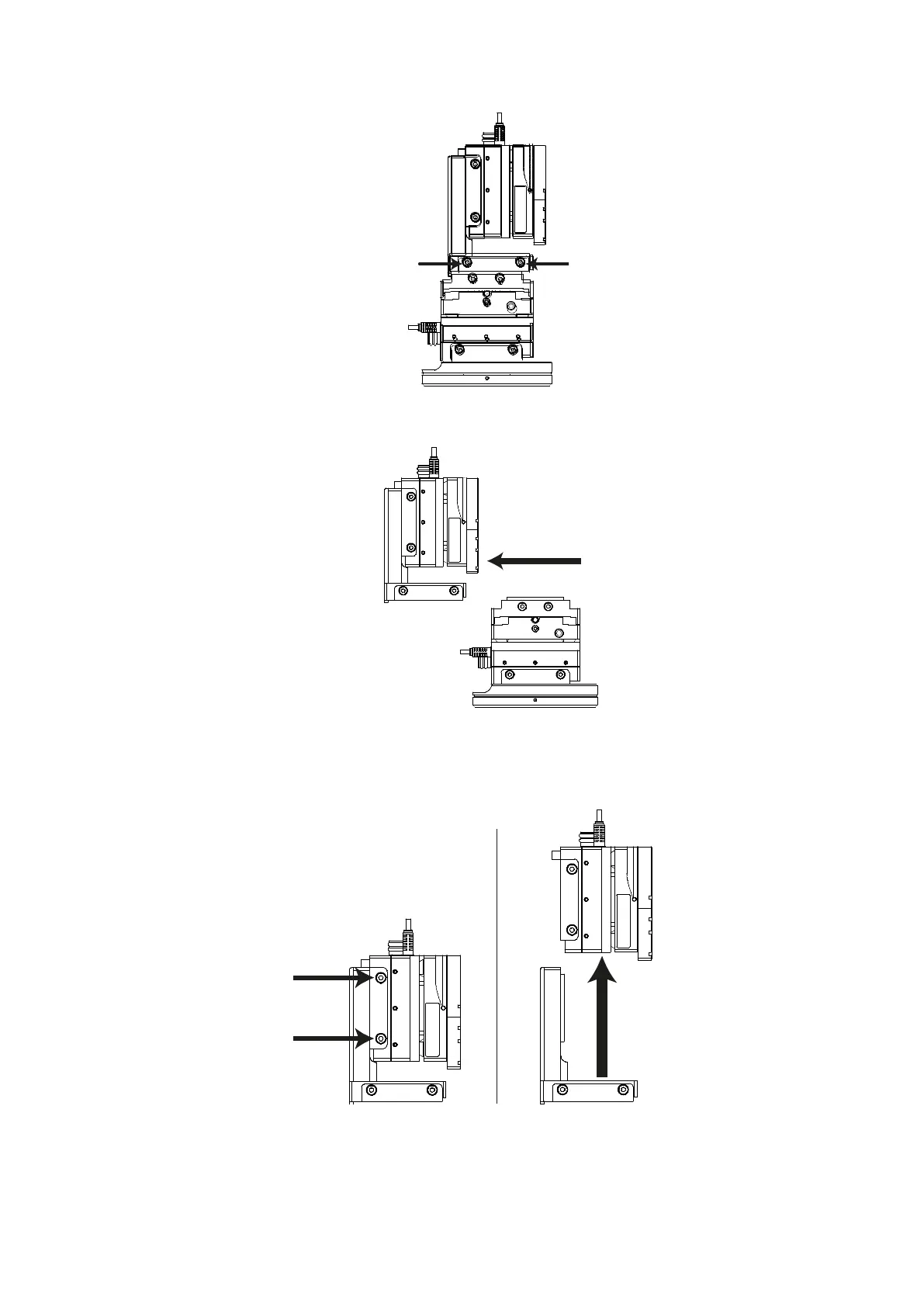
Figure I: Left hand view, L-bracket dovetail screws indicated
2. Slide the upper part of the manipulator off the X axis (blue).
Figure J: Left hand view, Sliding the top section of the PatchStar
3. Loosen the dovetail screws on the upper part of the Z axis
Bracket (1) and remove from the Z axis L-bracket (2).
Figure K: Left hand view, removing the Z axis (red) from the L-bracket
4. Slide the Z axis (red) onto the shorter surface of the low profile bracket (1) and
tighten the dovetail screws (2)


 To Next Page