20
3.2.5 Exchanging magnetic base to thumb screw lock
The PatchStar manipulator will be provided with a magnetic locking base as standard. This
can be exchanged for a thumbscrew locking base if preferred. This can be ordered as a
standard alone part from Scientifica (code PS-LBASE). If this part is ordered a new rotational
base will be shipped with the thumbscrew lock preinstalled. In order to fit this onto the
PatchStar remove the magnetic base form the manipulator by loosening the screws on the
bottom most dovetail rail and sliding the manipulator off the base, as indicated in figure N.
The new base can be attached in the same manager, and the dovetail screws securely
fastened.
Alternatively, the thumbscrew lock (S-PS-7000-LBASE-LOCK) can be retrofitted onto the
magnetic base.
First remove the rotational base form the PatchStar as described above.
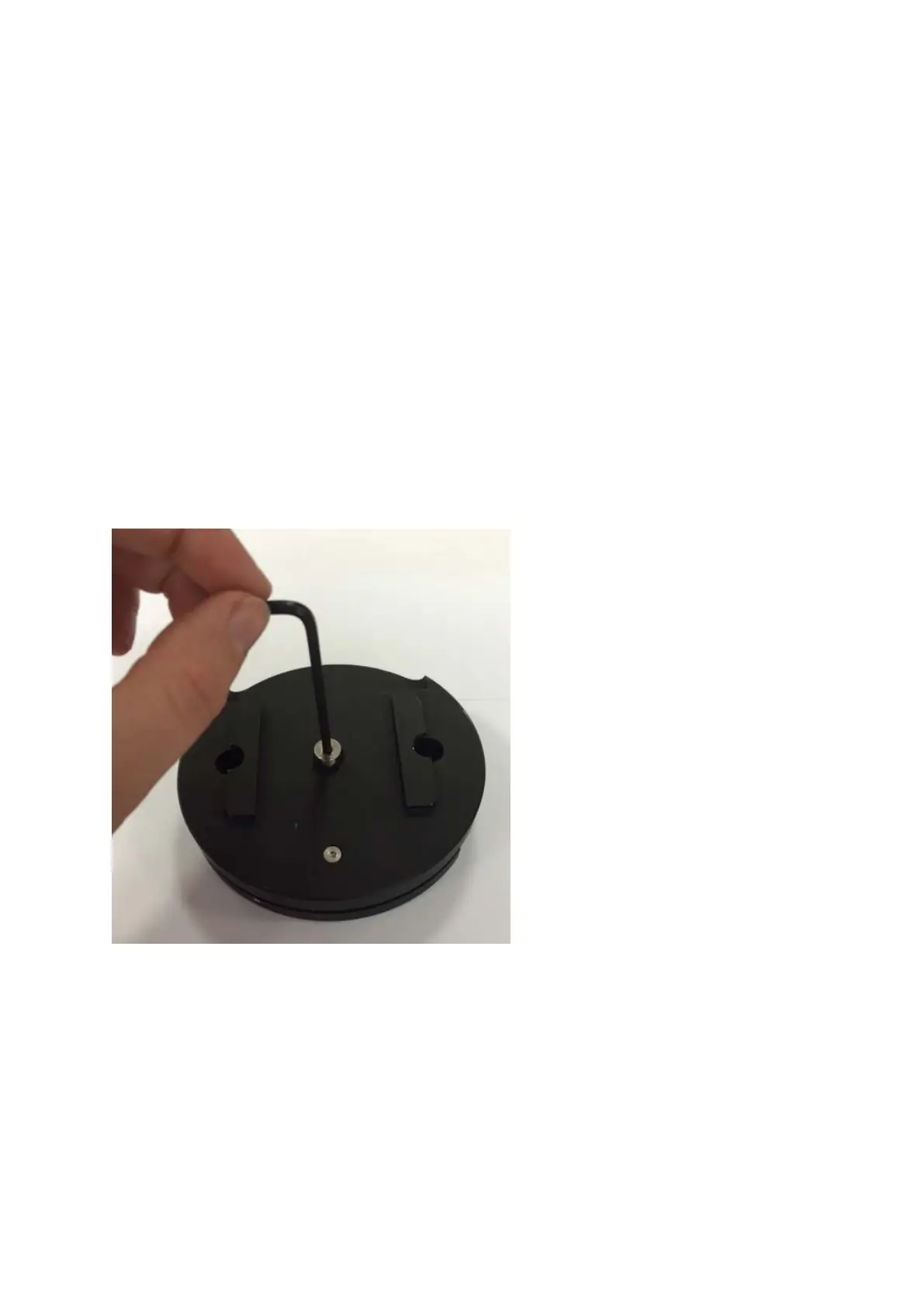
Remove the top of the PatchStar rotational base by removing and retaining the screw
located on the top centre of the base using a 3mm allen key (as indicated in figure W). It
may be necessary to hold the bottom of the base using a pair of pinch pliers, inserted into
the grip holes located in the central brass section in order to loosen the crew.
Figure W: location of screw to remove top of PatchStar rotational base
Once the top of the base has been removed locate the screw on the top of the base securing
the magnetic stop in place. Remove and retain the crew using a 2.5mm allen key. The T-
shaped stop can then be removed and replaced with the rubber alternative provided (if
ordered).



 To Next Page