8
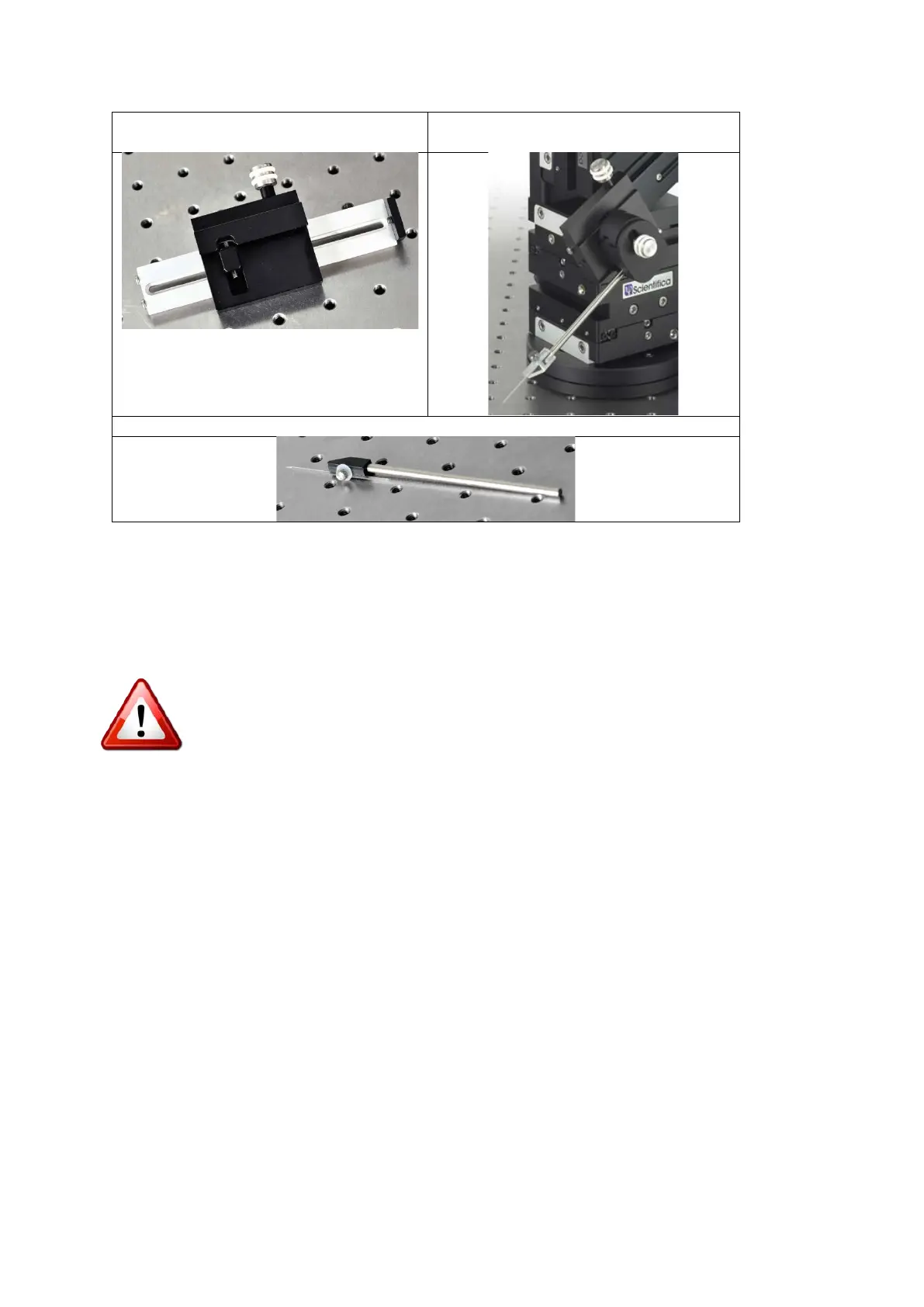
Fixed Sliding Probe Carriage
(PS-7750)
Universal Rod holder
(PS-7600)
Electrode Holding Bar (EHB-500)
3.0 Initial Setup
3.1 Mechanical configuration of the PatchStar
Please remember: adjustment or removal of any screws or components other
than those noted in this manual can adversely affect the performance and
operation of your micromanipulator and may invalidate your warranty.
If you are unsure of the components discussed here, please review the schematic in section
1.2.3.
3.1.1 Configuring the PatchStar between right and left handed
The PatchStar can be set up for use in either a left handed or right handed configuration.
This allows the user to mount the manipulator on either side of the experiment and maintain
the operation of the virtual approach axis, as well as providing easy access to the manual
adjusters.
Note: The factory default configuration is right handed.
In the right handed set up the dovetail headstage slide projects to the left and the manual
adjusters are conveniently positioned away from the microscope. For the left handed setup,
the X axis (blue) must be removed and rotated through 180°, to position its manual adjuster
away from the microscope.


 To Next Page