3
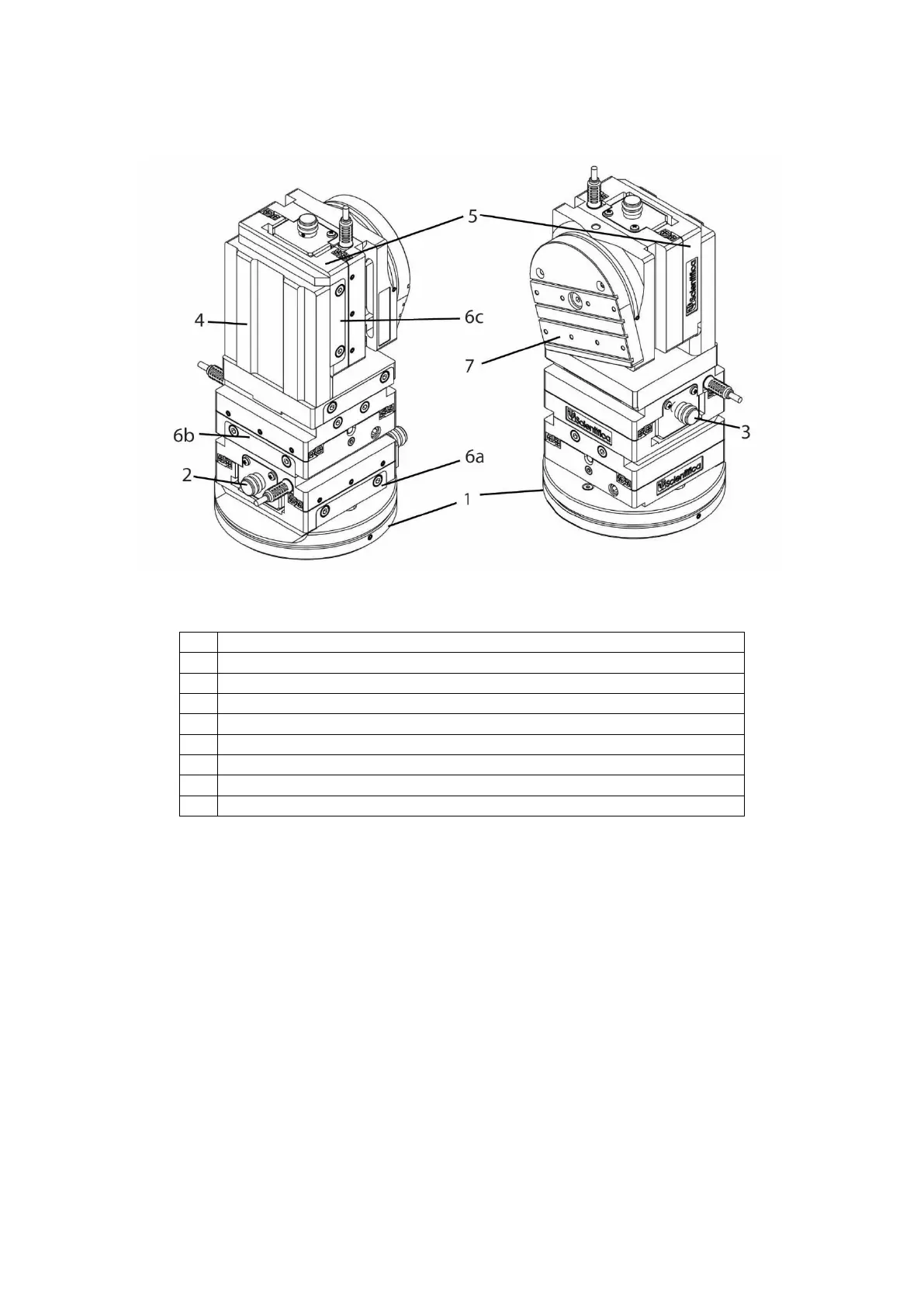
1.2.3 Product Walkthrough
Figure A: PatchStar micromanipulator, with key components indicated
1.2.4 Left and right handed configurations
Due to its modular design, the PatchStar can be quickly exchanged between left and right
handed configurations. PatchStars can therefore be mounted on both sides of a sample, with
control options and software remaining intuitive and the adjusters accessible.
PatchStars are ordinarily shipped in right handed configuration. Instructions on how to re-
configure this can be found in section 3.1.1 of this manual.


 To Next Page