Changzhou Sciwil E-Mobility Technology Co., Ltd.
9
th
Huashan Road, Changzhou, Jiangsu, China- 213022
Fax: +86 519-85602675 Tel: +86 519-85600675
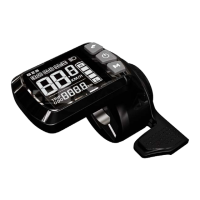
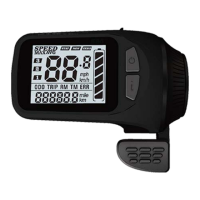
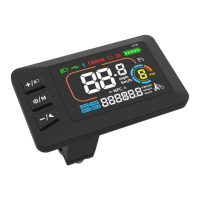
There are 3 keys on the key pad of M58. In the following descriptions, Is called the
“Mode Key”, is called the“Up Key”, is called the “Down Key”.
1.3.6.1
Operations include short press, press and hold of one key or two keys:
1
During ride, press Up or Down to change PAS/throttle level.
2 During ride, press the Mode Key to switch items displayed in versatile area.
Note:Press and hold of a single key is mainly used for switch mode/on/off
status. Press and hold of two keys is used for parameter settings.
(To avoid false operation, short press of two keys is not introduced.)
Set/Exit Walk Assist Mode/Cruise/Turn On and Off Front Light:
When the e-bike is parked, press and hold the Down Key to enter walk assist
mode. During ride, press and hold the Down Key to enter real-time cruise
mode. When in cruise mode, press and hold the Down Key to exit.
Press and hold the Up Key for 3s to turn on and off the front light.
Press and hold the Mode Key for 3s to turn on/off the display.
1.3.6.2 Switch Items in Multi-Function Section:
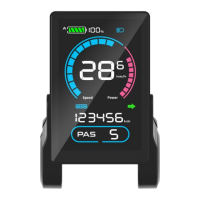
When the display is on, press the M Key to switch displayed items in the
multi-function section.
Custom Settings:
Press and hold both the Up Key and the Down Key together, to enter the
Setting Menu. Setting items include: Backlight Brightness, System Unit,
Battery Level, Auto-Off Time, Assist Level, Wheel Size, Magnetic Steel


 To Next Page