KeyPad service manual
Rev.1.1
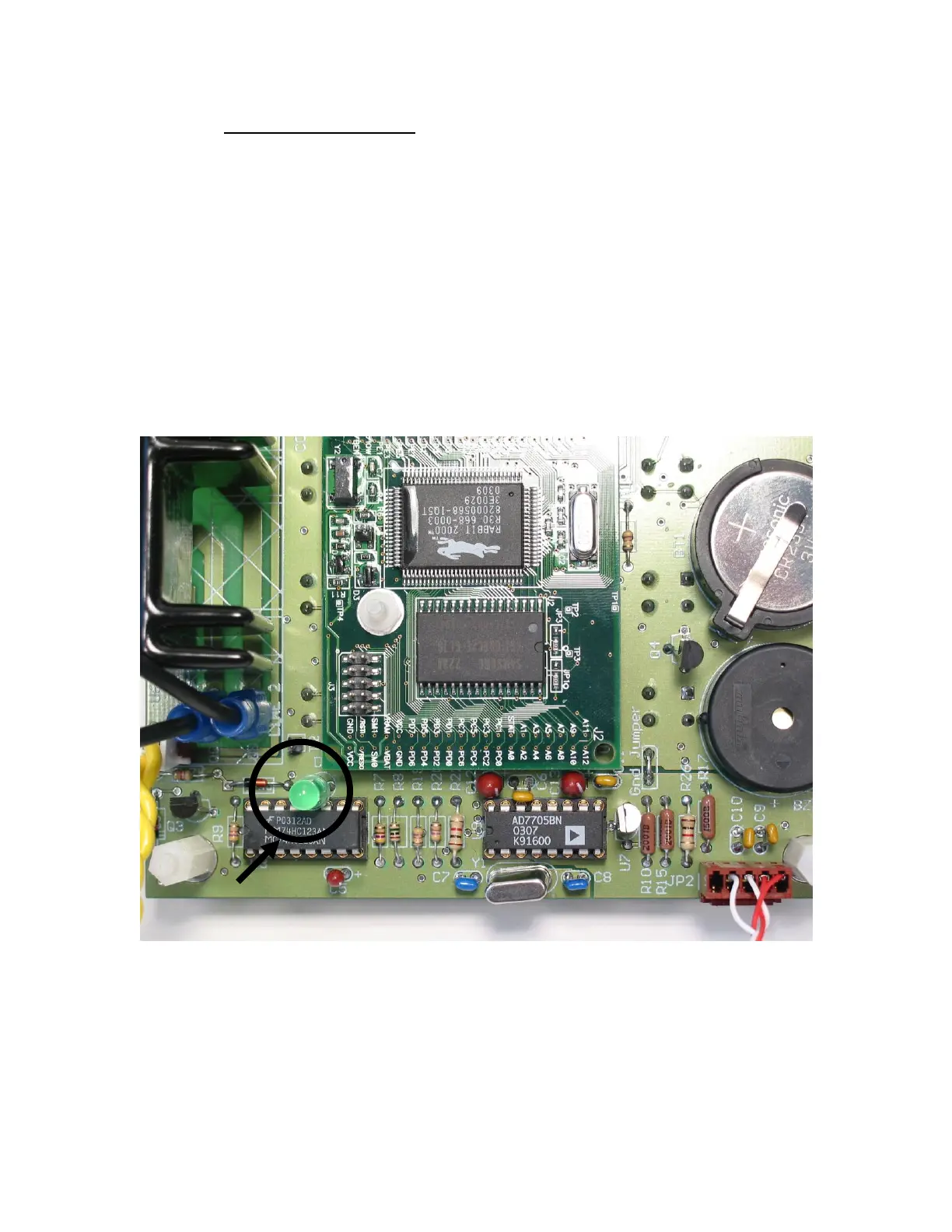
Monostable verification (74HC123AN – U3)
NOTE: This will also confirm that the CPU is also up and running
o Unscrew the bottom plate by removing the four screws
holding the feet in place.
o First verify that U3 part number is 74HC123AN. If not,
please replace accordingly (see figure 18).
NOTE: 74HC123N is on older unit only (green display), it must
be replaced with the same part
o Set the target temperature to 25 C and target time to 1 min.
o After starting the system, turn the module upside down and
see if the LED D3 (see figure 17 for position) had a 1 sec.
lighting time.
NOTE: The heating block temperature must be lower than the target temperature
in order for the LED to flash.
Figure 17: Heating system LED indicator location
Legend:
1. Monostable LED (green)


 To Next Page
 Loading...

