KeyPad service manual
Rev.1.1
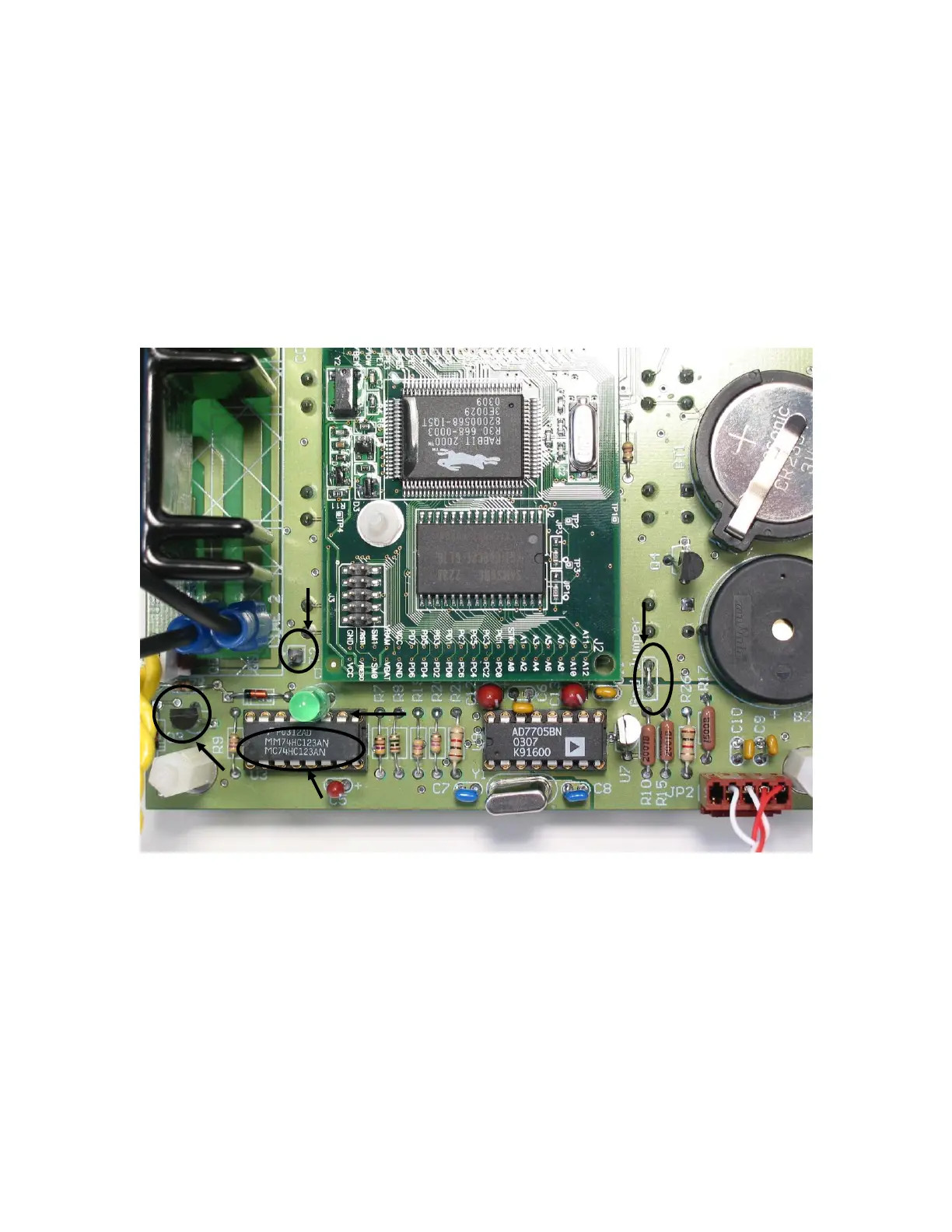
If the LED is not ON, if possible, use an oscilloscope and see if there is a
pulsing signal on the trigger input, coming from the CPU. The pulse width
should always be 1 second regardless of the frequency (please refer to
the figure 15 and figure 18 for pin location). Take a couple of second to
verify the integrity of the LED. If nothing is coming on pin 9 of the U3 chip,
the CPU section is in trouble. Please refer to the CPU section for more
detail.
o If there is a signal on pin 9 of U3 and the block temperature
is below set point temperature and the LED is not blown,
then change the Multivibrator.
Figure 18: Monostable pin location (U3)
Legend:
1. T2 (SSR testing point)
2. Q3
3. U3 pin 12
4. U3 pin 9
5. Analog Ground
Q3 switch (bipolar transistor) verification
o If there is a signal at the output of the monostable chip (U3),
then the problem can be the bipolar transistor Q3.


 To Next Page
 Loading...

