Rev.2
48
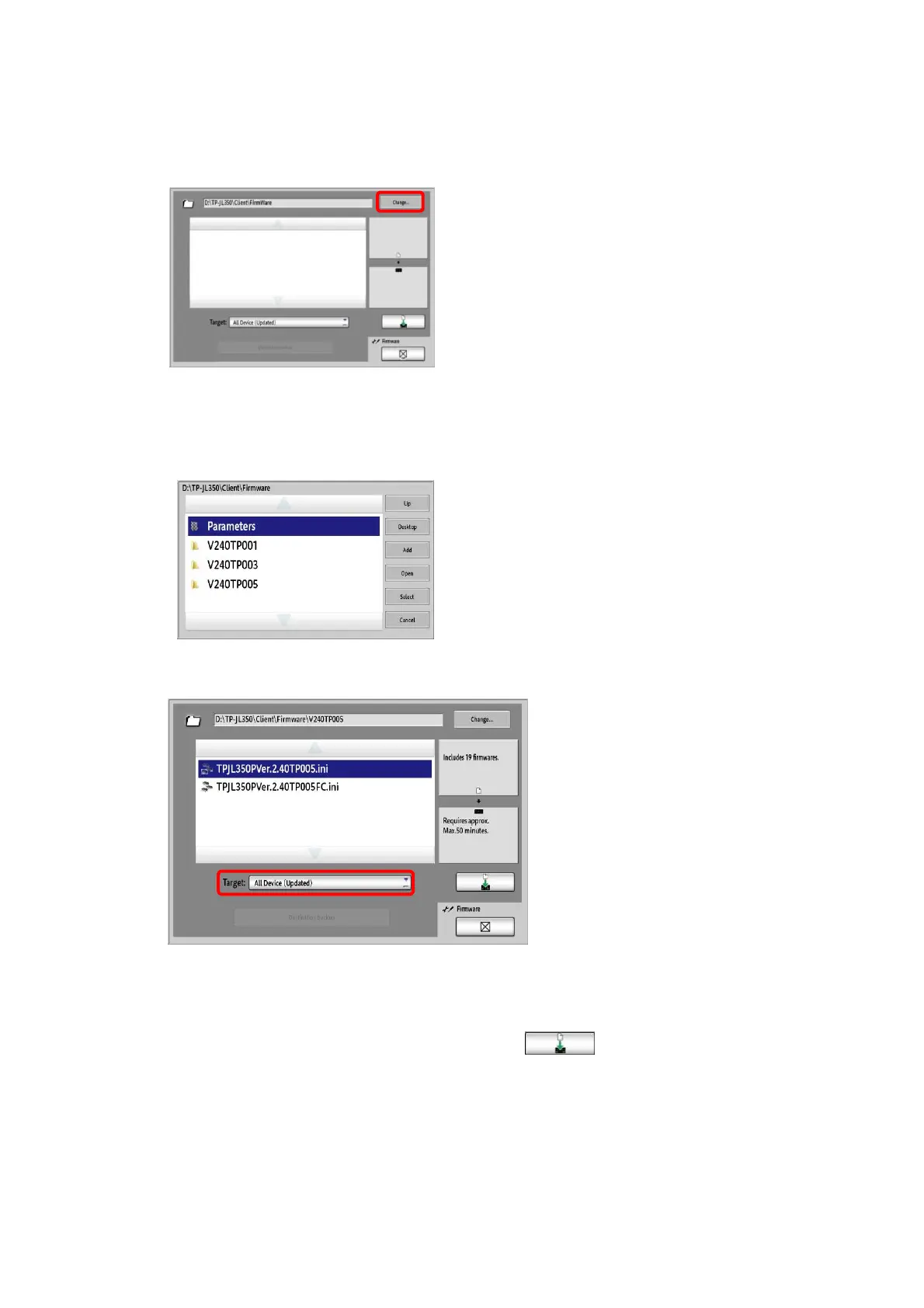
5. Click the “Change” button on the right side of the path field.
6. Access the layer of the target folder using “Up” and “Open”.
→ D:\TP-JL350\Client\Firmware\V240TP005
Click “Select”.
7. Select “All Device(Updated)” from the “Target” list.
8. The Batch download file is displayed.
9. Select “
TPJL350PVer.2.40TP005.ini
”, and then click
*When upgrading a machine with full color variable option, select
“
TPJL350PVer.2.40TP005FC.ini
”.



 To Next Page