Default Settings
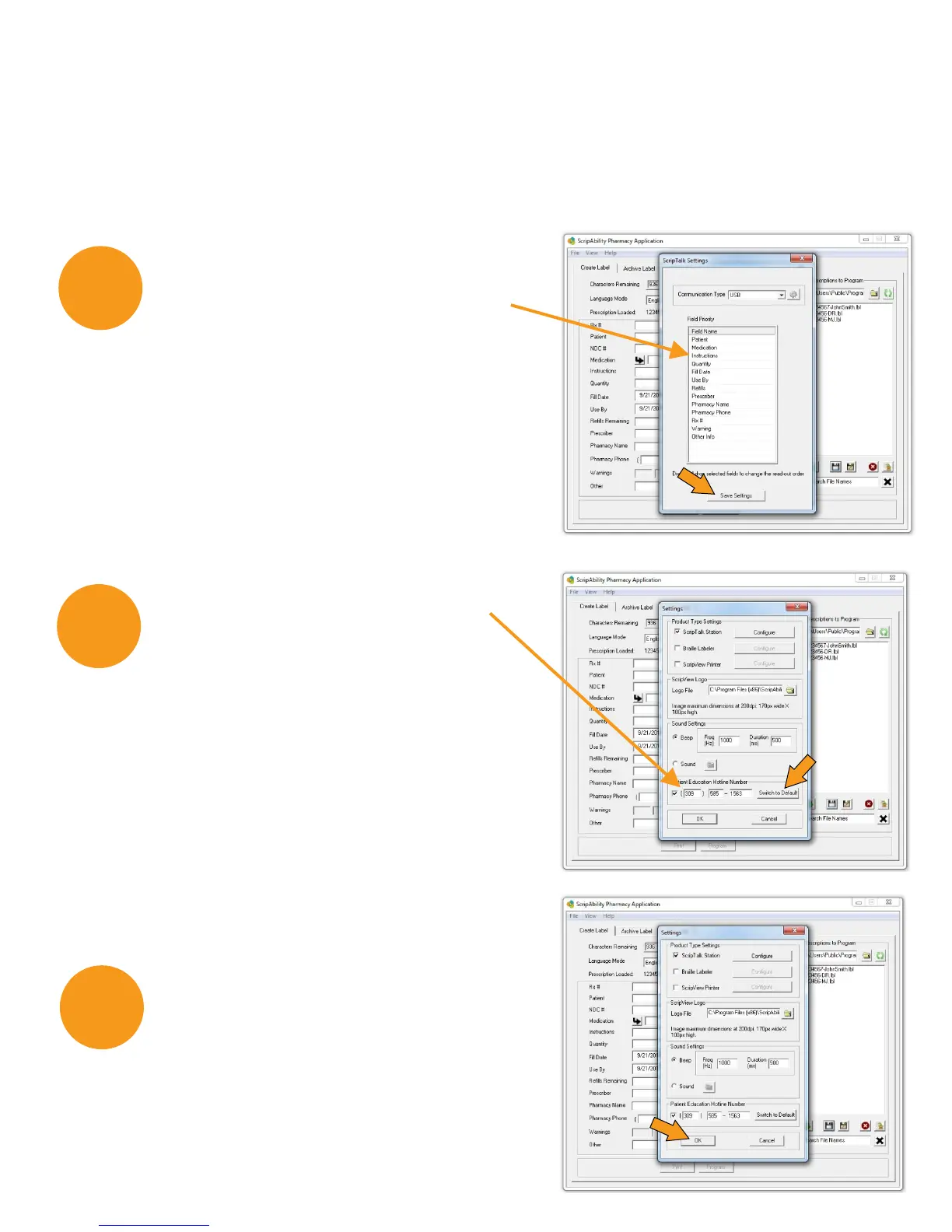
The data fields are loaded in default order (Patient Name, Medication,
Instructions, Quantity, Fill Date, Use By Date, # of Refills, Prescriber,
Pharmacy Name, Pharmacy Phone, Rx#, Warnings, Other Information).
11
11
10
To change the order the data
is spoken in, drag and drop data
fields to desired order. This is the
order in which the patient will hear
the prescription information.
Click [Save Settings] when done.
Verify that the Patient Education
Hotline Number displays
as 309-585-1563.
If not, click [Switch to Default].
Click [OK] to confirm.
12


 To Next Page