Correction of Pronunciations
If you encounter a word or name
that is not being pronounced correctly,
you may enter a correction in the
Dictionary.
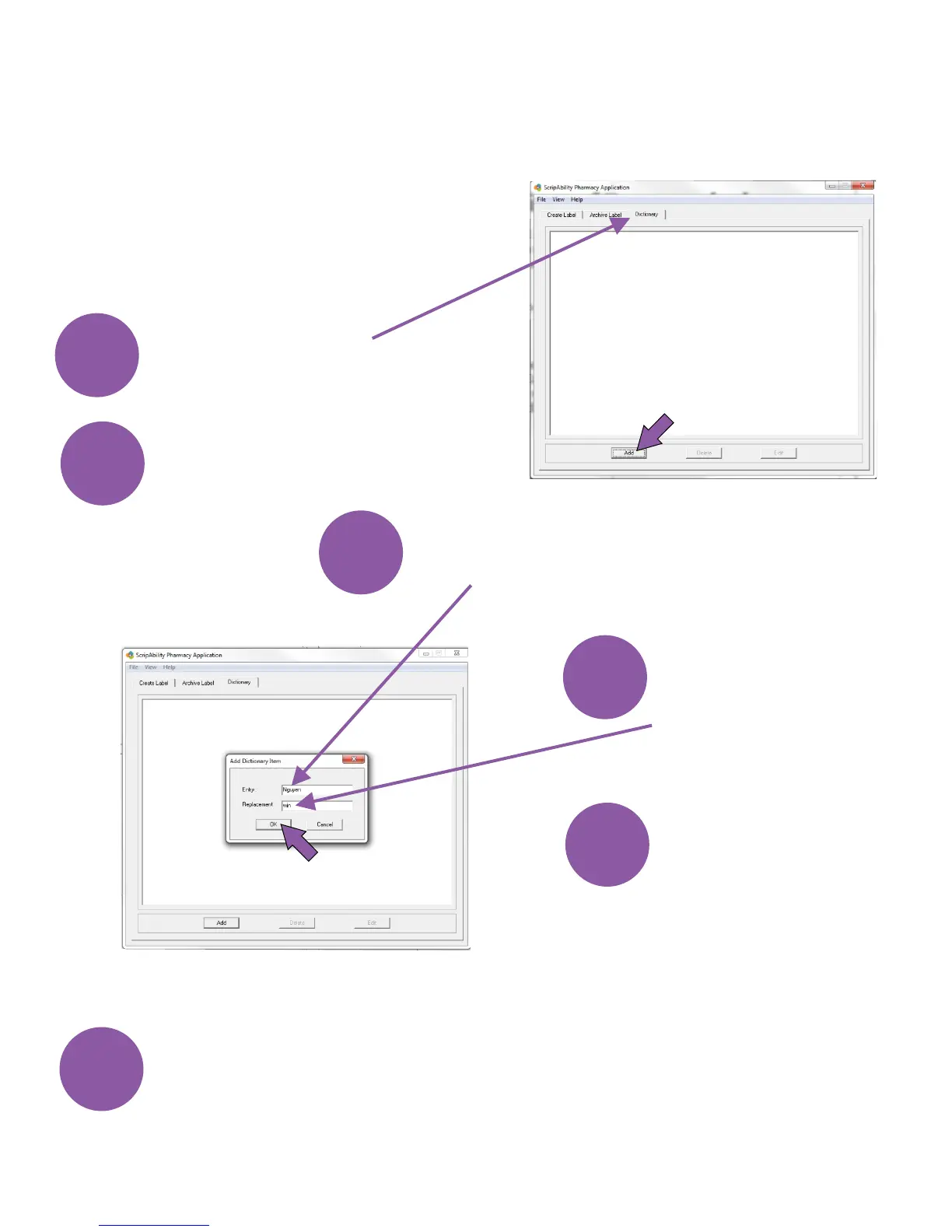
Open the Dictionary tab.
Click [Add].
Program the label and check for correct pronunciation. If you
need to adjust the phonetic pronunciation, highlight the desired
entry and then click [Edit]. Repeat these steps until correct
speech is attained.
1
2
3
4
5
6
Then enter the
phonetic spelling in
the Replacement Field.
Enter the word that is being
mispronounced in the Entry field.
Click [OK].
19


 To Next Page