Installing the Pharmacy Software
· Close all other programs since a restart of your PC may be necessary
once the installation is complete.
· If you are running anti-virus software, be sure to pause or disable it
during the following installation steps.
Load the provided CD into your PC. The ScripAbility software
program files are pre-loaded.
If autoplay does not begin installation, go to
Computer and double click on the CD-ROM
drive that contains the ScripAbility CD .
1
2
3
4
Double-click on the file ScripAbility_Installation_.exe
to begin the installation.
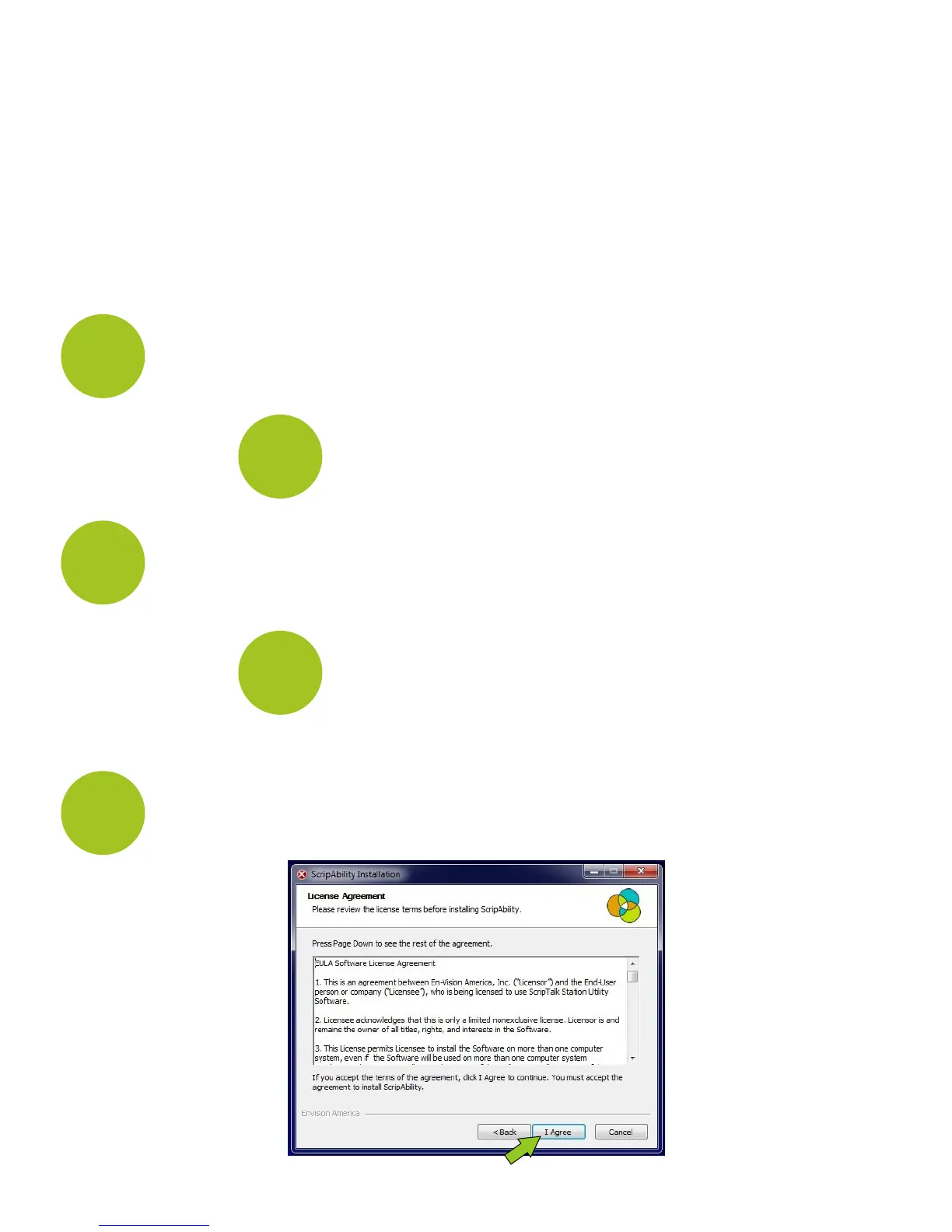
Please read the terms of the
Agreement, and click [I Agree].
ScripAbility Installation: License
5
4
Click 'Yes' if asked “Do you want to allow the
following program from an unknown publisher
to make changes to this computer?


 To Next Page