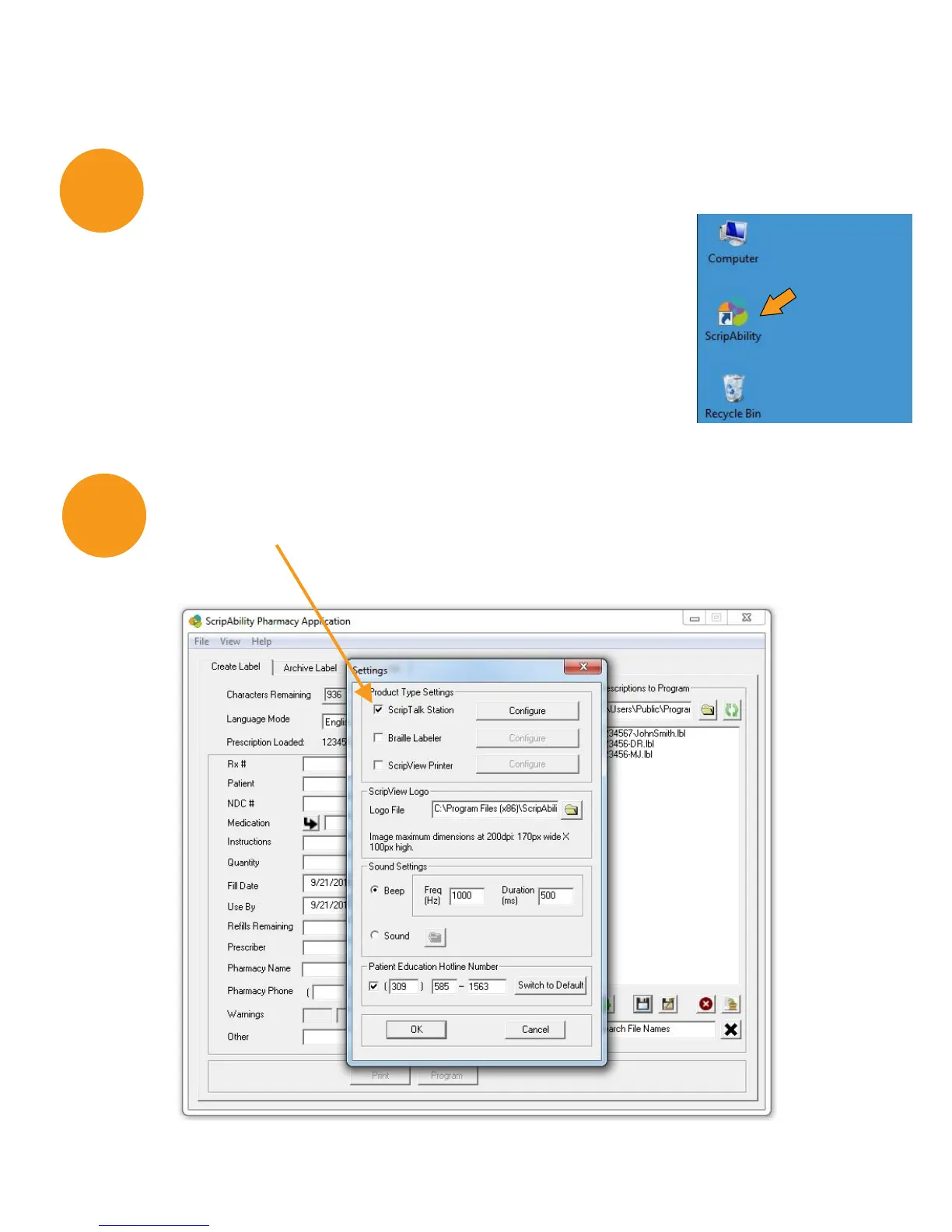
The ScripAbility software is now installed on your
computer desktop. Double click the [ScripAbility Icon]
on your computer desktop to open the program.
It will begin with a blank template.
5
Open the ScripTalk Software
6
Open File>Settings option in software. Be sure that the
ScripTalk Station box is checked.
9


 To Next Page