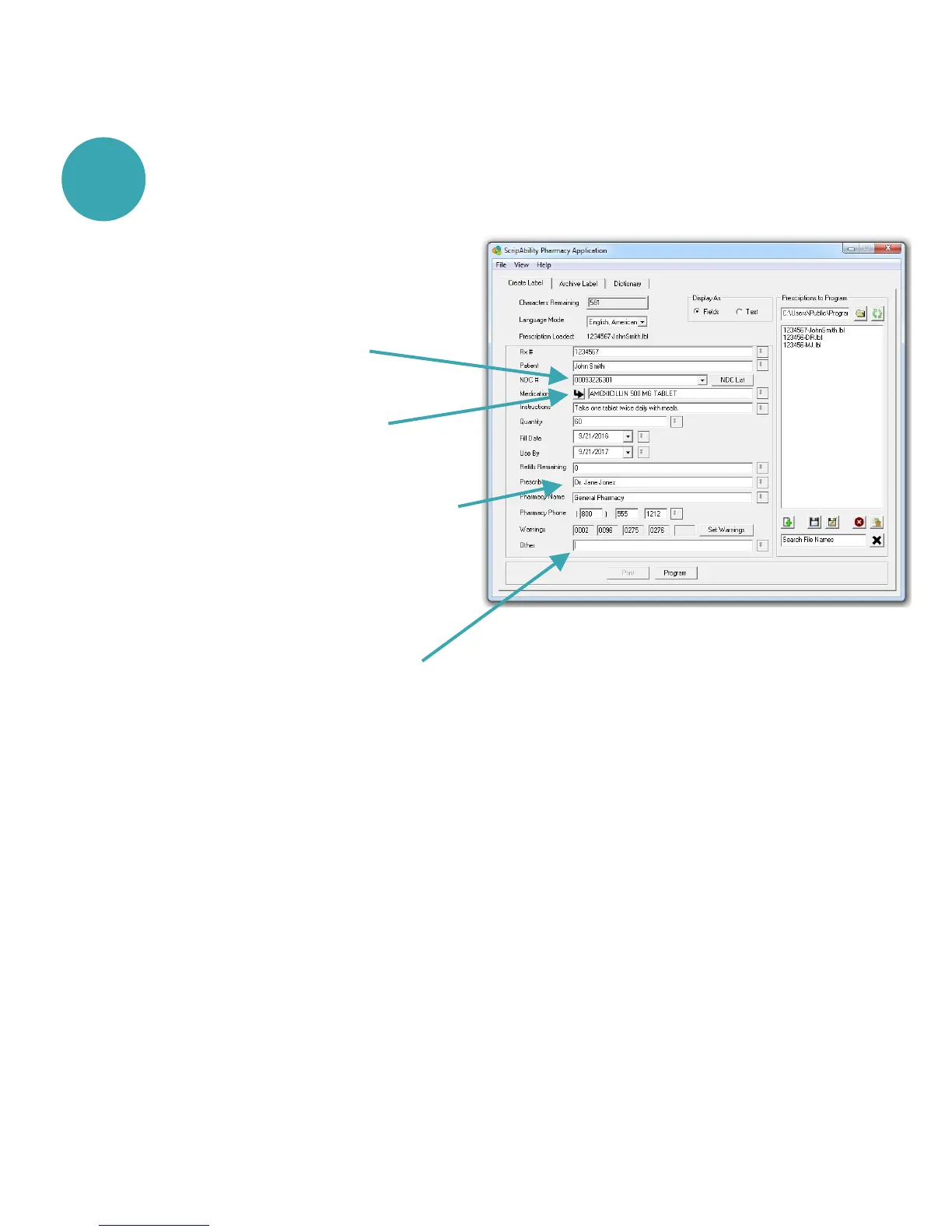
Entering Prescription Data
Enter label information in each field as you want it to be spoken.
Enter prescriber’s name as First and
Last name. If prescribed by a doctor,
preceed name with ‘Dr.’.
Enter NDC#. Warnings will be
populated automatically.
1
12
Pharmacist should use professional judgement to add important
auxiliary information to the last part of the SIG field (Other).
This will ensure that the patient hears this information as part of
the directions. Entry may include information such as physical description
of drug or medical condition it is intended to treat.
Note:
Press the Auto-Fill Button to
automatically fill the drug name


 To Next Page