Troubleshooting
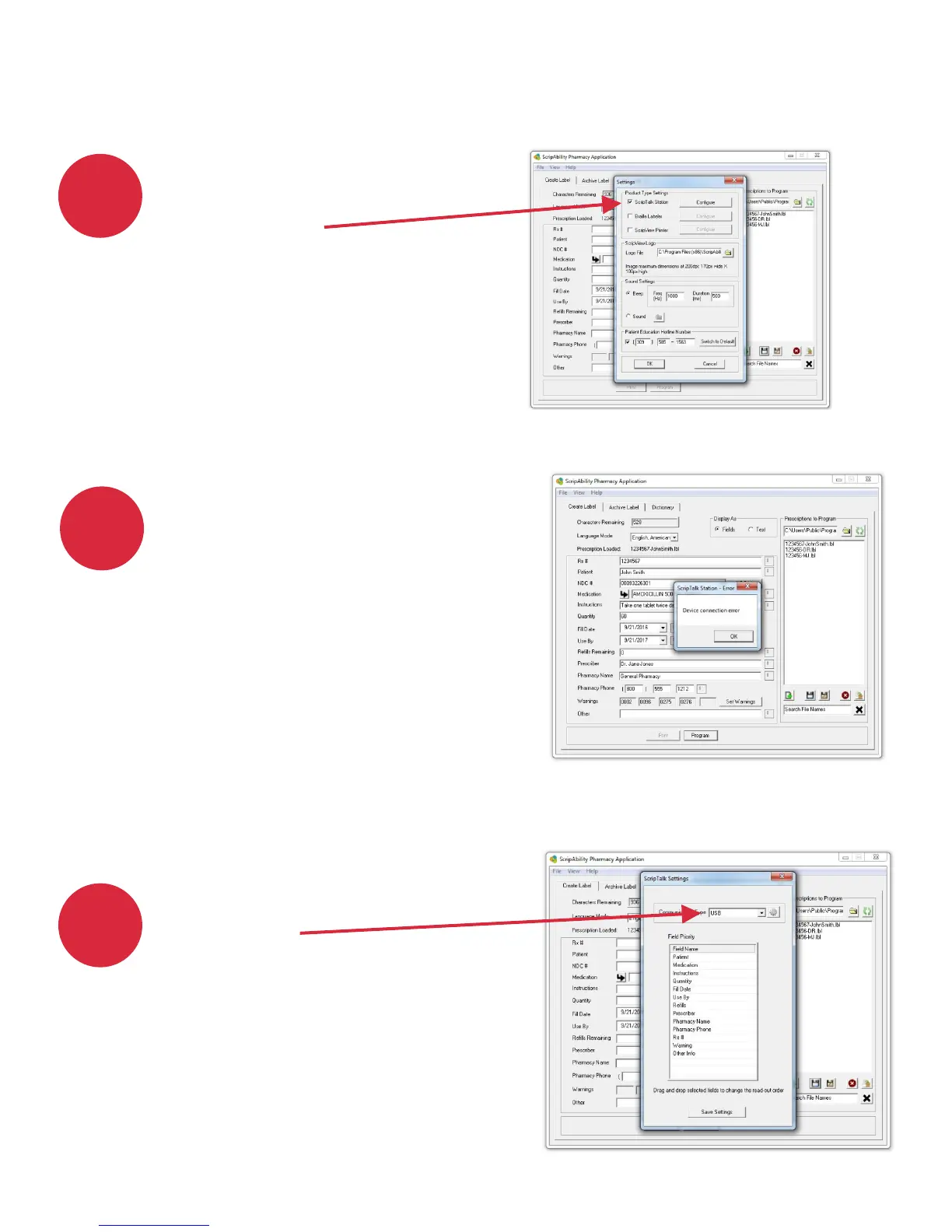
If the ScripAbility software
is unable to communicate
with the ScripTalk unit,
check to make sure that the
cable is connected between
the unit and the computer
via USB. Also, verify that the
ScripTalk unit is turned on
and has power.
Confirm that communication
type is USB.
Make sure that ScripTalk
Station is checked in the
Settings page.
1
2
3
23


 To Next Page