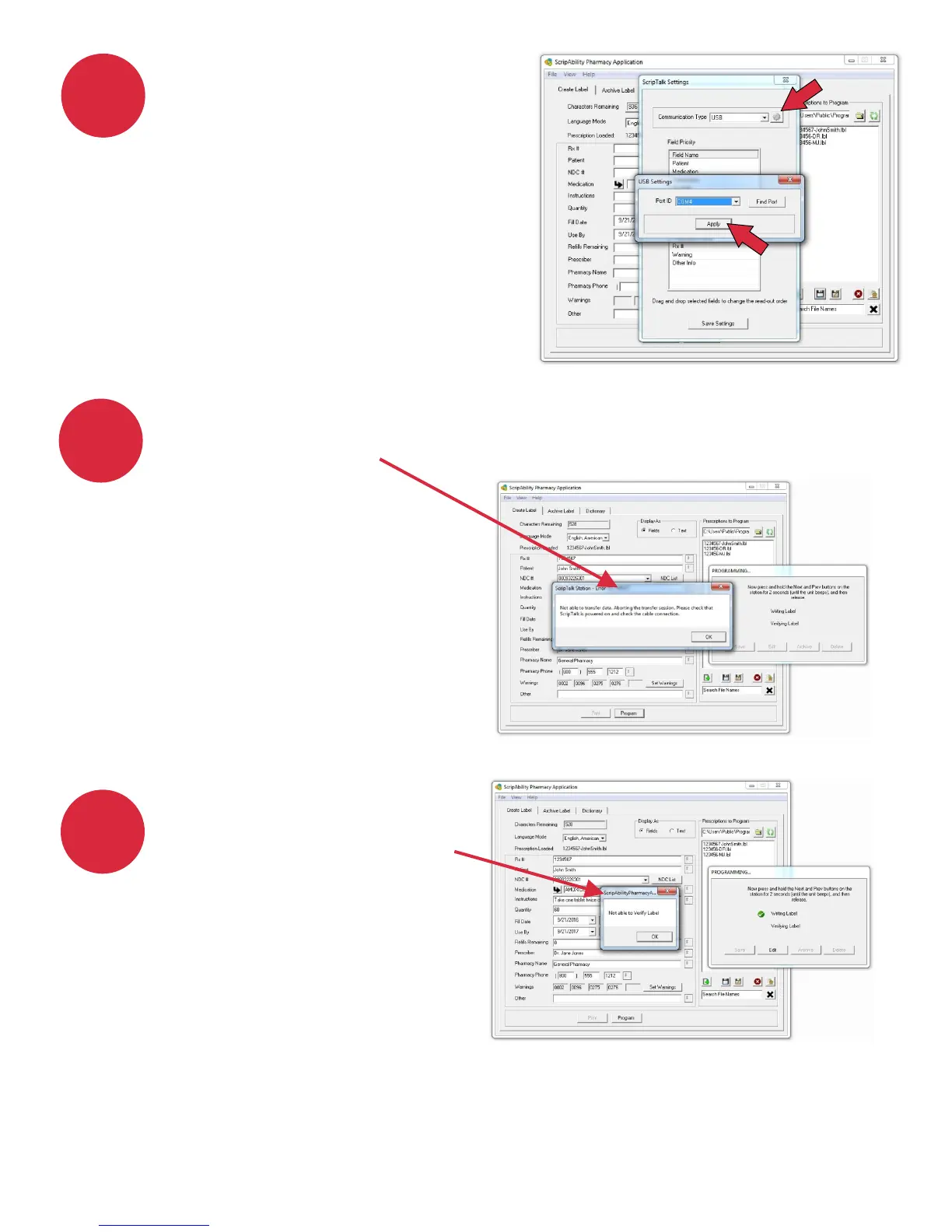
If your getting the error that
the program cannot verify
the label, be sure that you
have attached a ScripTalk
RFID label to the
prescription container.
If you get the following error when programming a label, be sure that
you have pressed the Next and Previous buttons on the ScripTalk
Station together,
until you hear a beep.
If you experience any issues outside of these, and need assistance,
contact En-Vision America technical support at 800-890-1180
(7:00 a.m - 6:00 p.m. Central Time Zone).
5
4
6
24
Check to see that the unit is
set to the correct Port ID.
Click on File> Settings, then
click ScripTalk Station
[Configure].
Click the [Gear Icon] button.
Click [Find Port] and then
click [Apply].


 To Next Page