1
Connecting & Powering the Station
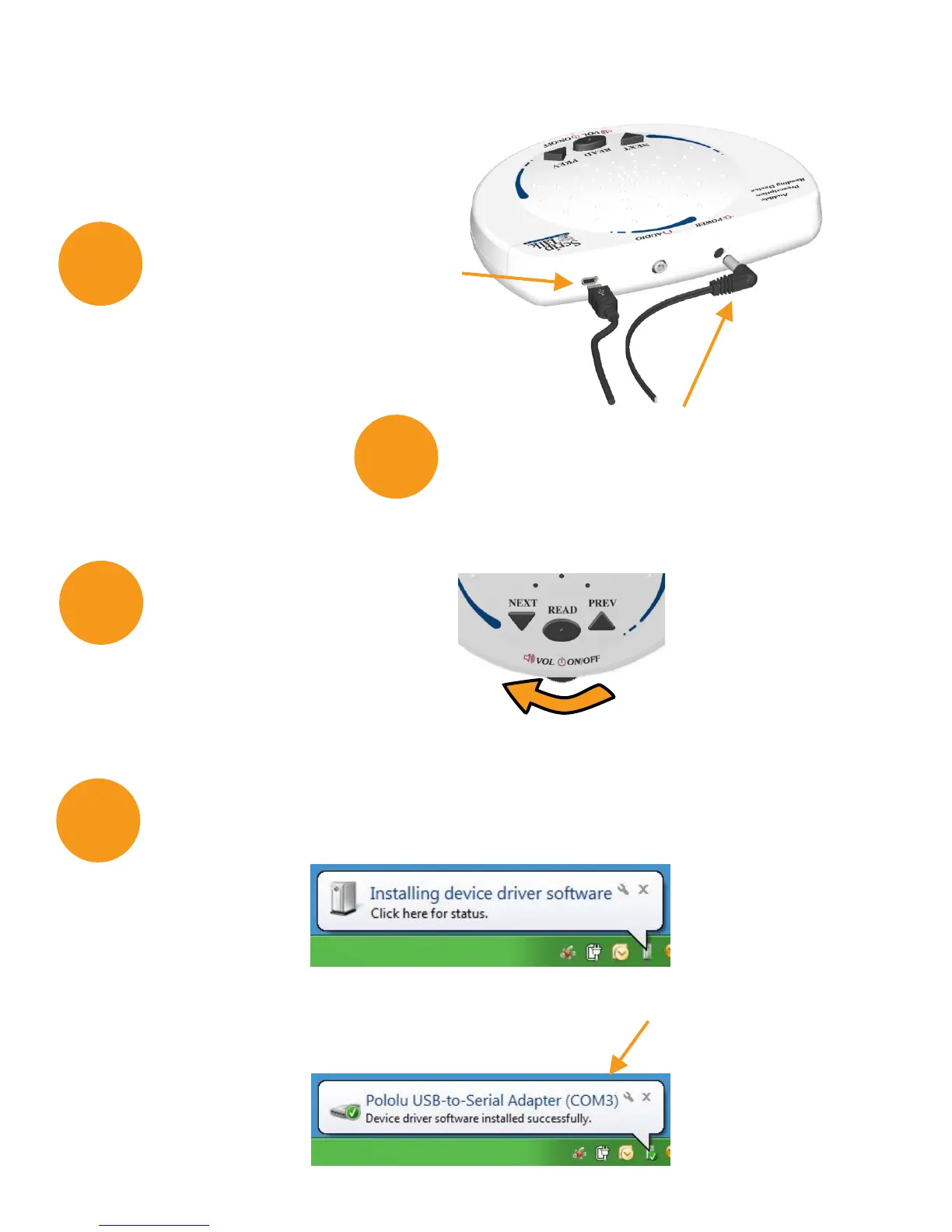
Connect the AC adapter to the unit
via the port on the back edge of the
programmer. Then, plug the adapter
into a power source.
Connect the ScripTalk
USB cord to your
pharmacy computer.
2
3
Wait while Windows installs the device driver software.
This may take more than a minute. NOTE: These balloons do not
appear in Windows 10.
Driver installation is complete once a COM number is assigned.
Turn the device on.
4
8


 To Next Page