Editing Warnings
13
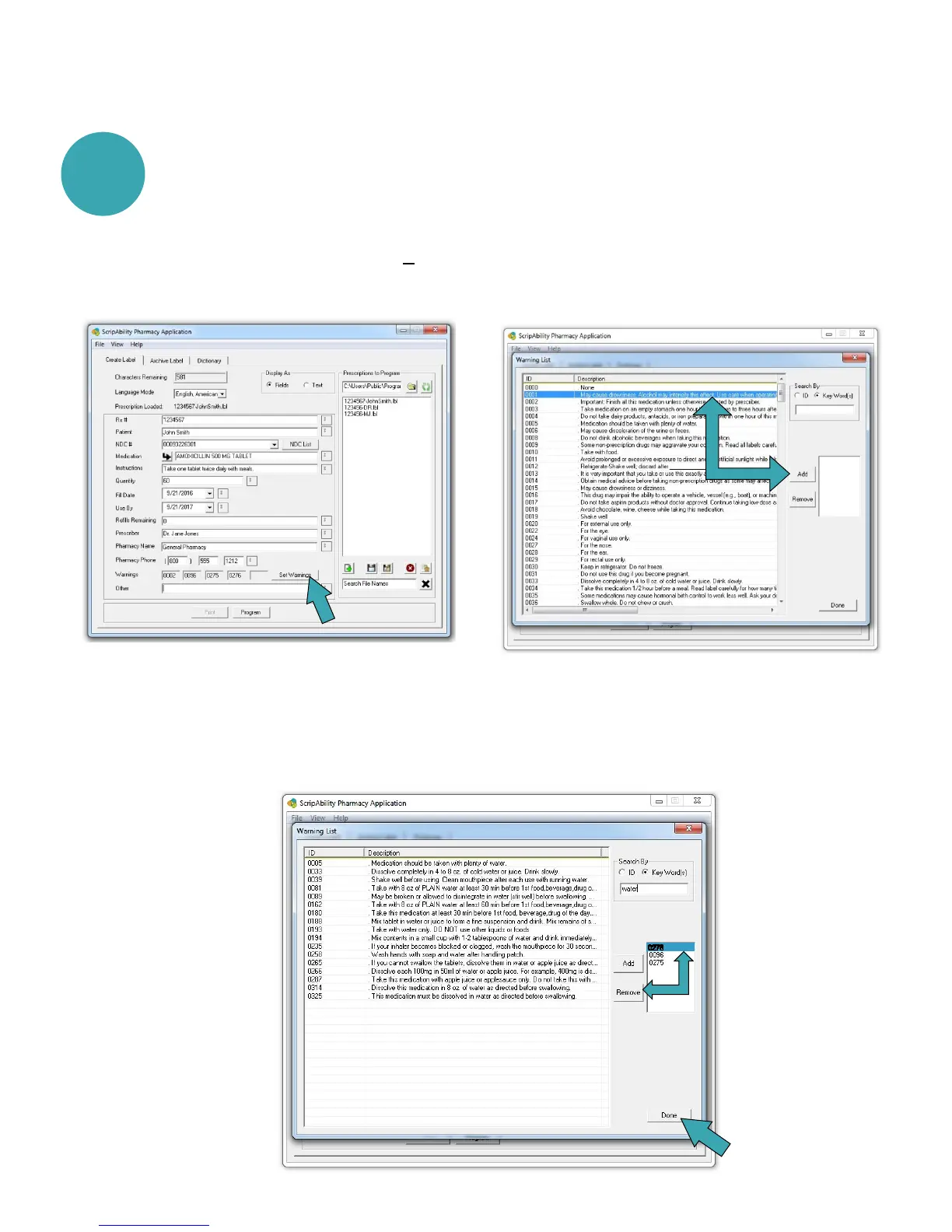
You can edit prescription warnings, if needed.
To remove a selected warning, highlight the warning number in
the box on the right, and click [Remove]. When you are finished,
click [Done].
Individual and/or additional warnings may be selected. To do this,
click [Set Warnings]. Highlight the warning you wish to
add, then click [Add].
2


 To Next Page