10
18
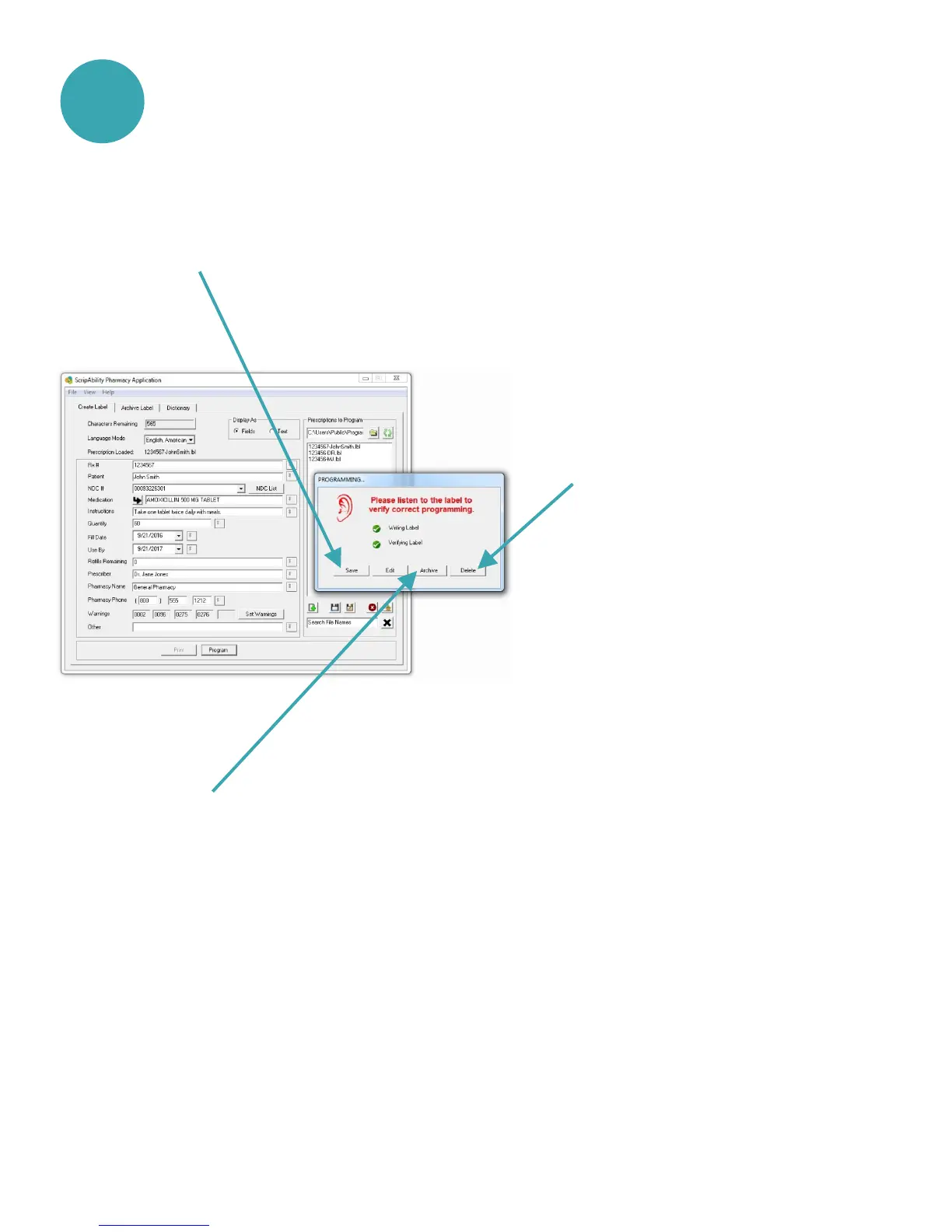
If the label information is correct, press [Save], [Archive], or
[Delete].
This will save the label information by prescription
number to the Archive Folder. It will not be seen in the
Prescriptions to Program list. It will clear the data fields.
This will save the label information by prescription
number to the Prescriptions to Program list. It will
clear the data fields.
This will delete the file.
It will clear the data fields.
[Save]:
[Archive]:
[Delete]:


 To Next Page