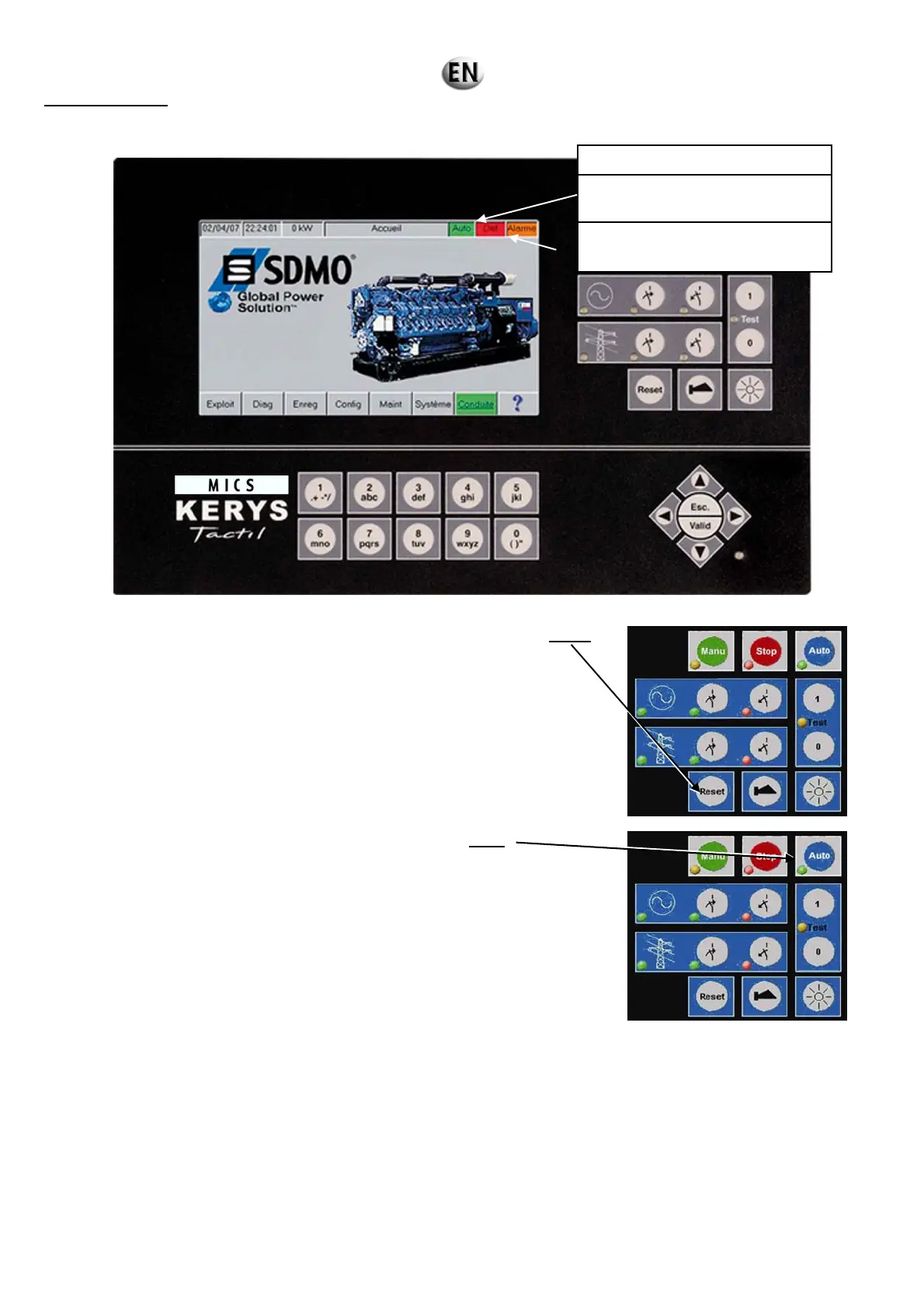
In automatic mode
Starting
If faults are present, the fault management screen can be accessed by pressing
Reset.
Refer to the section “Alarms and Faults” in the Operating menus” to
eliminate the faults.
If no faults are present, manual mode can be activated by pressing
uto.
In AUTO mode, except for the test functions, the generating set starts as a result of an external command which may be triggered by
various sources:
power loss
EJP command (France only)
client command.
The installation is then controlled via the automatic systems in accordance with the configuration of the application:
inversion of normal/emergency source
grid coupling
etc.
Check there are no faults:
grey: no fault.
red: fault present.
grey: no alarm.
orange: alarm present.


 To Next Page