If the diagnostics button is pressed after the fault has
been rectified and the fault codes have been erased,
code 1.1 “No fault” will be displayed.
DU (Display Unit)
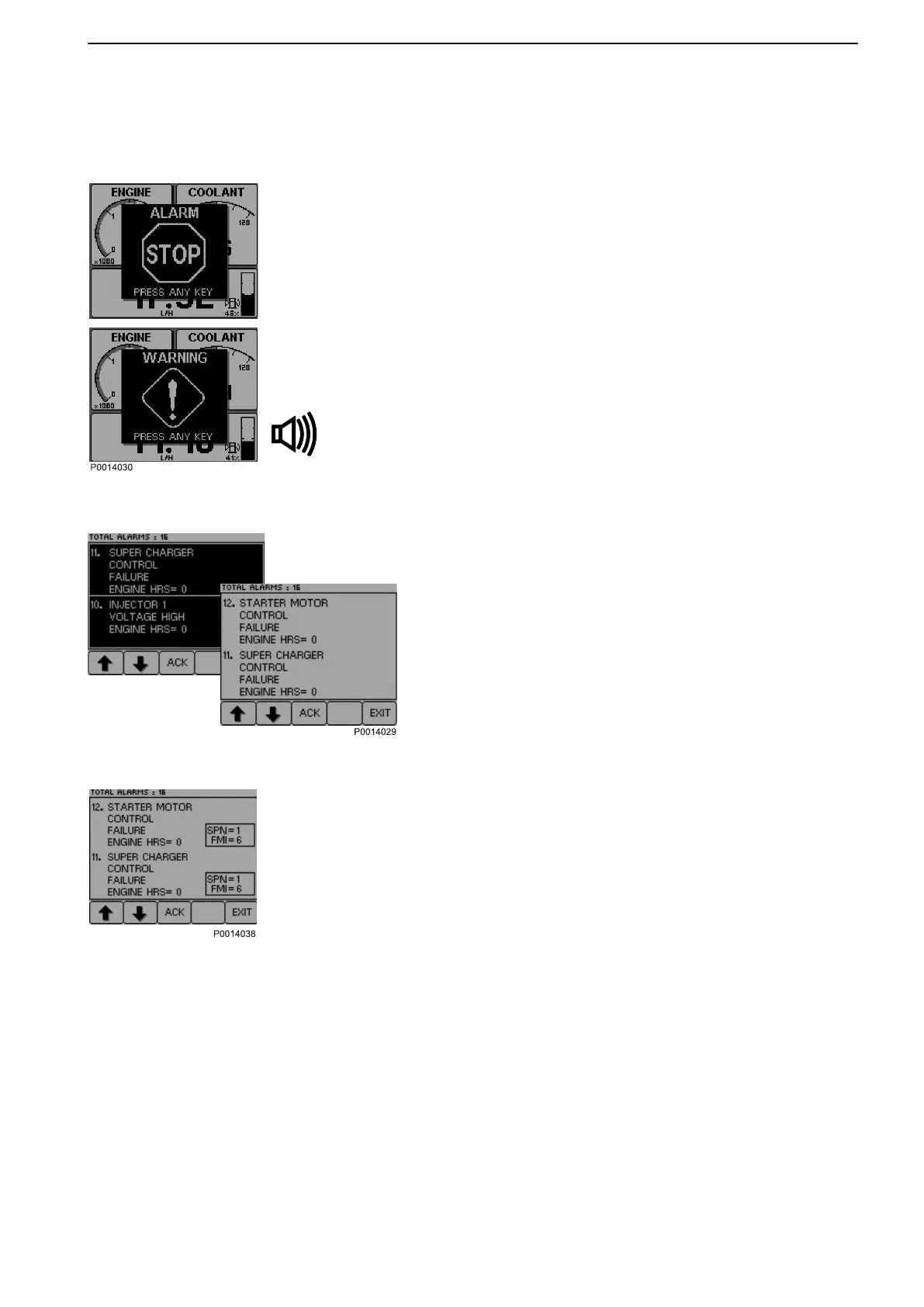
1 When the system detects
a fault, a pop-up is shown
on the display. Depending on the severity of the
fault the following text will appear
ALARM STOP / PRESS ANY KEY or
WARNING! / PRESS ANY KEY; a buzzer will
sound.
2 Reduce engine speed to idle or shut down the
engine.
3 Press the SEL button to get to the fault list. The fault
list shows fault messages and the number of hours
of operation when the fault occurred.
4 Press ACK to acknowledge the fault code. The dis-
play background changes color (and the buzzer
stops). The fault must be acknowledged before it
can disappear from the fault list.
5 Look up the fault code in the Fault Code Register
and take the necessary actions.
6 Press button 4 for at least three seconds to view
SPN and FMI codes.
7 Press EXIT to leave the fault list.
Alarms that are acknowledged and rectified are
automatically erased from the list.
Fault Handling
7748681 12-2011 33


 To Next Page