Solo generating set, CRF coupling (A651)
1. Turn off the battery isolator switch.
2. Check that the emergency stop buttons are activated.
3. Press the “STOP” button of the KERYS.
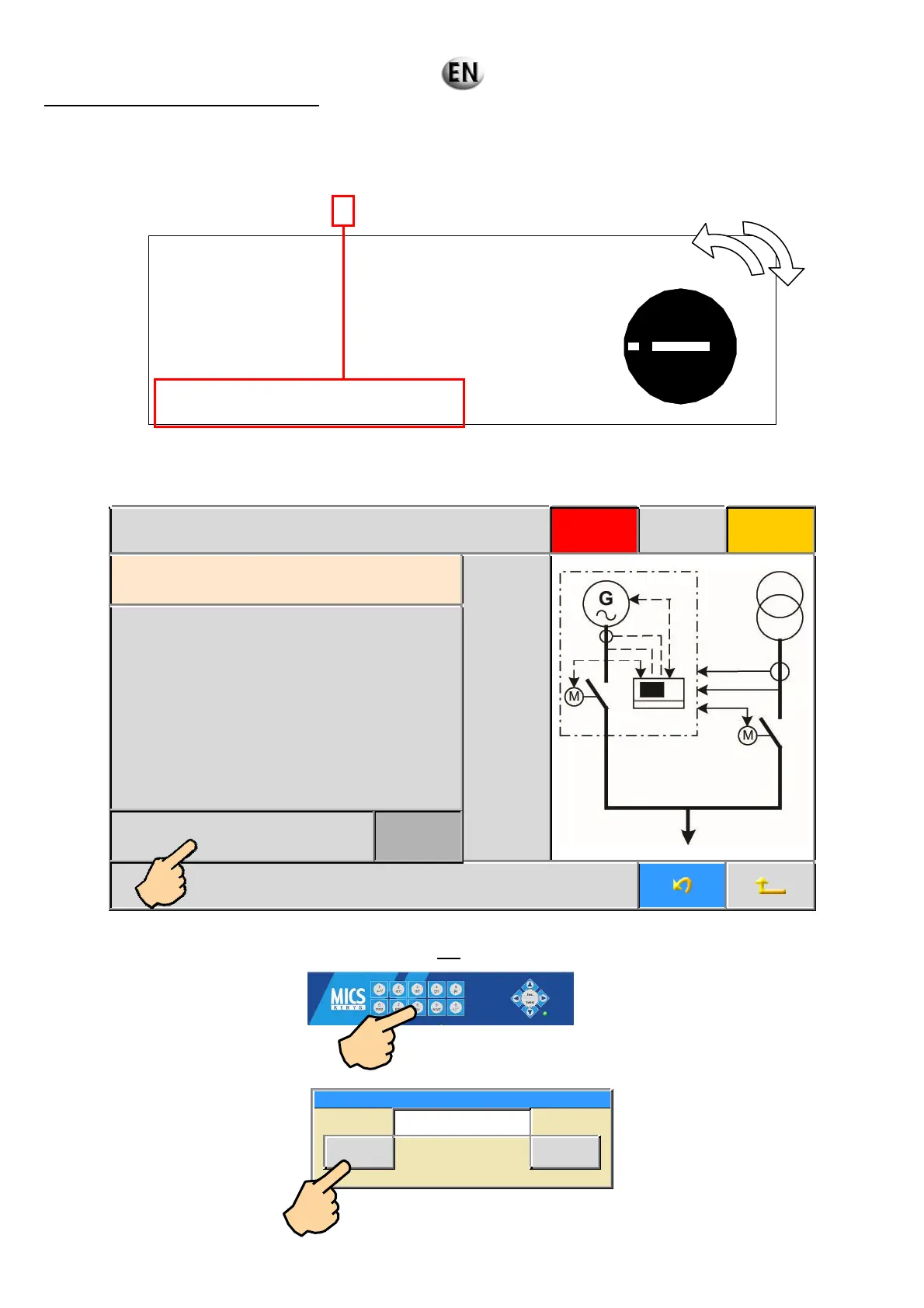
4. Turn the changeover switch to position 4.
1: SOLO GENERATING SET WITHOUT GRID COUPLING
APPLICATION:
A612
2: PRODUCTION POWER PLANT WITHOUT GRID COUPLING
APPLICATION:
A632 / A633
3: NOT APPLICABLE
4 : SOLO GENERATING SET WITH GRID COUPLING
APPLICATION:
A651
(If the switch is already set to “
4”, turn the switch and return to position ‘’4’’)
After changeover, the screen below appears.
15/07/09 19:10 :00 GS 1 Rental application Stop Faults Alarms
A651: Temporary power grid single Genset
coupling
Validation
Grid CT ratio 20.0
5. To enter the value of the grid current transformer ratio: press the “GRID CT RATIO” button on the touch screen.
Using the alphanumeric keys of the MICS KERYS: enter the value of the CT ratio in tenths.
Example: CT = 100A/5A (calculation: 100/5 =
20; 20x10=200) value to be entered 200.
CT BUSBAR/Grid setting 1 (1/10)
0<= 0200 <=32767
Valid Esc.
6. Then press “
VALID” .
1
4
3
2



 To Next Page