VERSO 50_v1.0.27_EN 33502027401_3_1 page 9/24
1- 8 Display pages
When you turn on the board, you will see the logo page.
Then you will be in the stand-by page (Mains). With the left
and right arrows, you can move through the different pages.
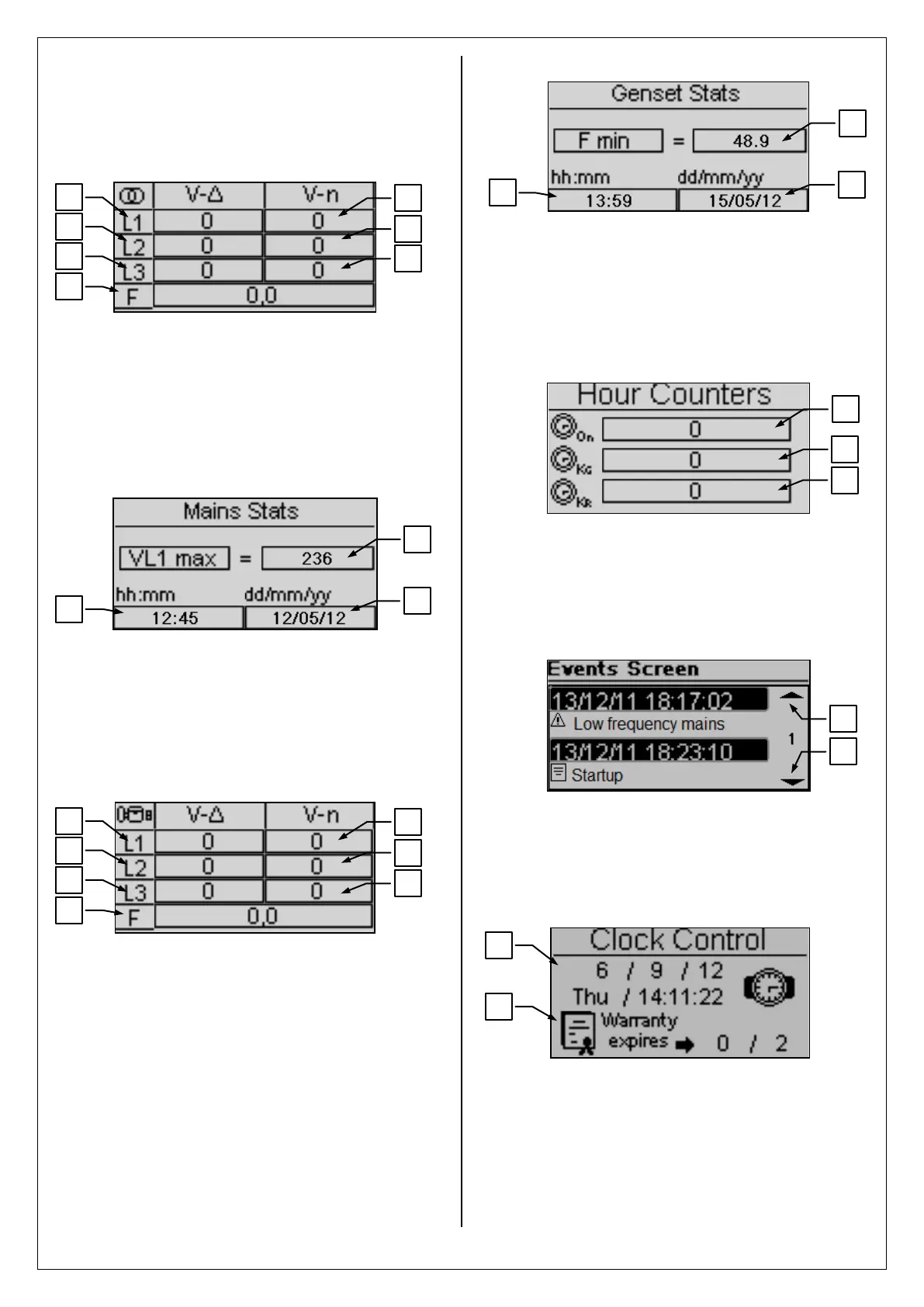
1- 8.1 Mains
A) L1-L2 Vac voltage
B) L2-L3 Vac voltage
C) L3-L1 Vac voltage
D) L1 line voltage
E) L2 line voltage
F) L3 line voltage
G) Mains frequency
1- 8.2 Mains stats
A) Maximum value measured on the L1 line voltage of
the mains
B) Hour and minutes when the maximum value at point
A has been measured
C) Date when the maximum value at point A has been
measured
1- 8.3 Generator
A) L1-L2 Vac voltage
B) L2-L3 Vac voltage
C) L3-L1 Vac voltage
D) L1 line voltage
E) L2 line voltage
F) L3 line voltage
G) Generator frequency
1- 8.4 Generator stats
A) Maximum value measured on the L1 line voltage of
the generator
B) Hour and minutes when the maximum value at point
A has been measured
C) Date when the maximum value at point A has been
measured
1- 8.5 Hours
A) Total work hours of the generator
B) Total work hours with KG closed
C) Total work hours with KR closed
1- 8.6 Events log
This page shows you the last alarms with the date and time.
Press the UP or DOWN button to select the up (A) or down
(B) arrow, then press “i”. This way you can scroll the events
(up to 255 events).
1- 8.7 Clock and warranty
A) Clock: date and time
B) Warranty expiry


 To Next Page