vi
DAT 72/DDS Product Manual
Figures
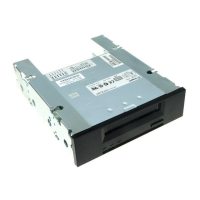
Figure 1. 3.5-Inch Internal Drive ........................................................................................................................4
Figure 2. Internal Drive with Drive Rails for Mounting in a 5.25-inch Drive Bay ................................................4
Figure 3. External Drive .....................................................................................................................................5
Figure 4. Internal Drive—Dimensions................................................................................................................8
Figure 5. Internal DDS Drive with Rails—Dimensions.......................................................................................8
Figure 6. Jumper Settings for an Internal Drive ...............................................................................................17
Figure 7. DIP Switch Settings for an Internal Drive..........................................................................................18
Figure 8. Mounting an Internal Drive................................................................................................................20
Figure 9. Mounting Holes for an Internal Drive in a 3.5-inch Configuration (without mounting brackets).......20
Figure 10. Mounting Holes for an Internal Drive in a 5.25-inch Configuration (with mounting brackets)........21
Figure 11. Interface Connector on an Internal Drive........................................................................................22
Figure 12. Two SCSI Termination Examples for Internal Drives .....................................................................22
Figure 13. Power Connector on the internal Drives.........................................................................................23
Figure 14. Rear Panel of External Drives ........................................................................................................24
Figure 15. SCSI Termination Examples for External Drives............................................................................25
Figure 16. Loading a Tape Cartridge...............................................................................................................27
Figure 17. Location of the Eject Button and LEDs on internal Drives (external drive is similar)......................28
Figure 18. Write-Protect Tab on a DDS Cartridge ...........................................................................................29
Figure 19. Front Panel of an Internal Drive (external drive is similar)..............................................................29
Figure 20. Four-Head Cylinder Design............................................................................................................37
Figure 21. Alternating Azimuth Angles on Tape Tracks...................................................................................37
Figure 22. DDS Drive Cartridge Design Features............................................................................................41
Figure 23. Write-Protect Tab on the DDS Cartridge ........................................................................................41




 To Next Page