Setup
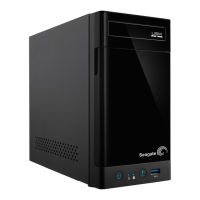
The Seagate NAS Pro 2-Bay | 4-Bay | 6-Bay is available with hard drives or without hard drives. Models
without hard drives are also known as diskless enclosures. Refer to the links below for instructions on how
to set up your Seagate NAS Pro.
NAS Pro with disks: Seagate NAS Pro sold with hard drives are preconfigured for use out of the box. Go
to NAS: With hard drives
Empty NAS Pro enclosure: Seagate NAS Pro sold as diskless enclosures can be configured using
compatible hard drives. Go to NAS: Diskless enclosure
The instructions below may be found in the Quick Start Guide included with the NAS.
NAS: With hard drives
Step 1 - Cables
Connecons











 To Next Page