Operaon
Powering on the product
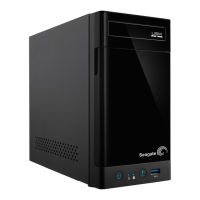
Use the front power button to power on or power off the Seagate NAS Pro 2-Bay | 4-Bay | 6-Bay. You can
also shut down the device or place it into deep sleep using NAS OS. Follow the directions below if the
device is connected to a power source and turned off or in deep sleep.
1. Before powering on the product, make sure that all the modules are firmly seated in their bays. Note that
all drive slots must be filled by drives or empty disk trays in order for the product to receive sufficient
cooling.
2. Confirm that the NAS Pro power supply is connected to a compatible power outlet.
3. Press the product's power button.
Caution: Do not operate the product until the ambient temperature is within the specified
operating range (see System Overview). Confirm that newly installed hard drives are
acclimatized before operating them.











 To Next Page