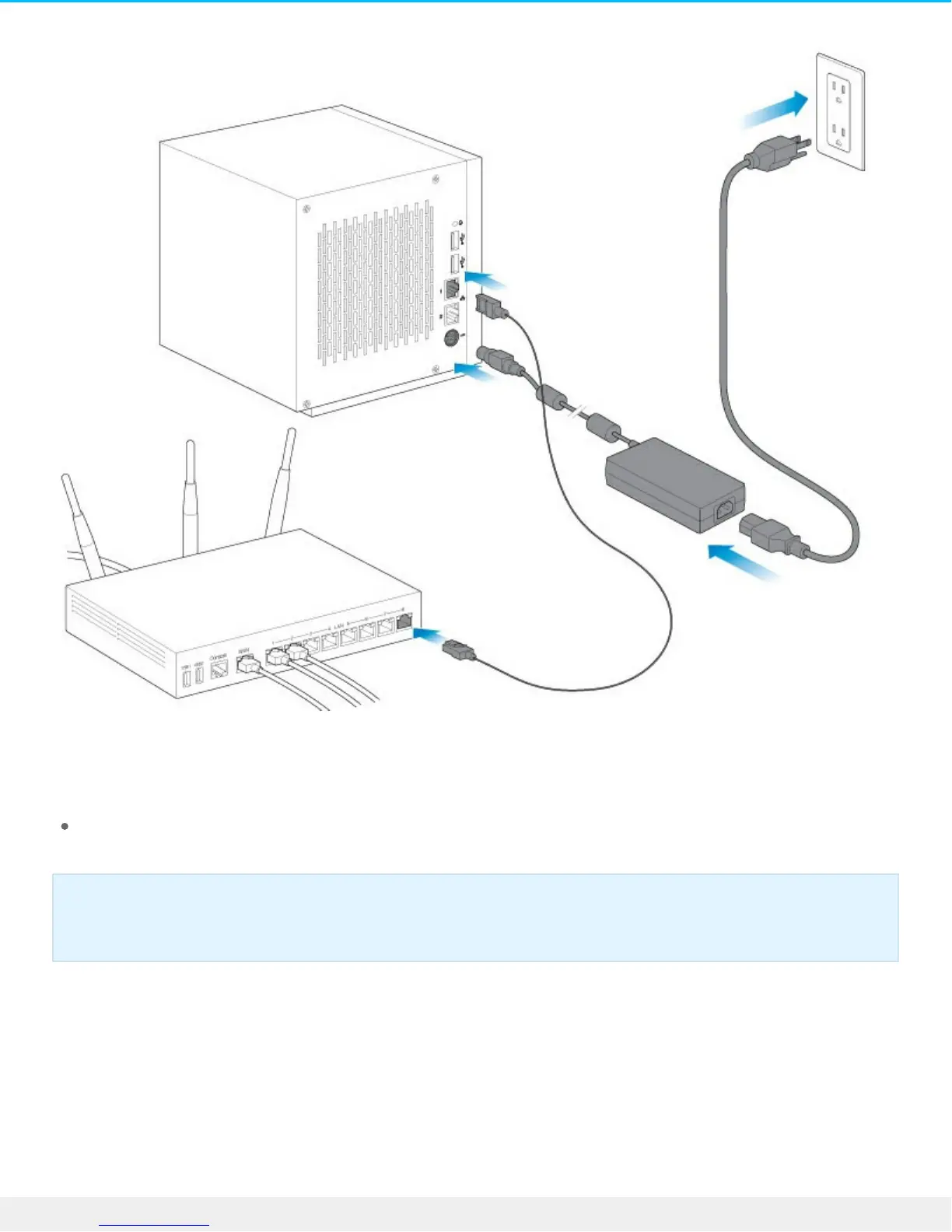
1. Connect the Ethernet cable to the NAS Pro and the router.
2. Connect the power cable to the NAS Pro and the outlet.
You can also connect:
A second Ethernet cable for redundancy or performance.
Step 2 – Power on the NAS Pro
1. Push the power button on the front of the NAS Pro.
Cable management: Careful management of cables is recommended for optimal operation. It
prevents potential hazards and allows for easier maintenance.












 To Next Page