Safety Guidelines
Safe handling
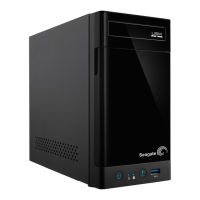
The Seagate NAS Pro 2-Bay | 4-Bay | 6-Bay must run with all of its parts and units in place. In order to comply
with applicable safety, emission, and thermal requirements, the cover should not be removed and all drives
and/or empty drive trays must be installed according to the instructions (see Setup).
Permanently unplug the unit if you think that it has become damaged in any way.
With the sole exception of "hot-swapping" compatible hard drives from protected volumes (see Hard Drive
Maintenance), you must shut down and disconnect power from the NAS before maintenance or physical
troubleshooting is performed on the device. Only qualified technical service personnel should be allowed to
maintain the NAS.
Shut down and unplug the unit before moving it.
Safety
Power supply
The Seagate NAS Pro must only be operated from a power supply input voltage range of 100 - 240 VAC, 50
to 60 Hz.
Make sure that the socket outlets are located near the equipment and are easily accessible.
The power supply on this unit is not serviceable or field replaceable. If Seagate technical support has
determined that the power supply is faulty or has failed and the unit is under warranty, return the NAS to
Seagate per the instructions provided by the Seagate technician.
Baery
The battery in the Seagate NAS Pro is not field-replaceable. If Seagate technical support has determined that
the battery is faulty or has failed and the unit is under warranty, return the NAS to Seagate per the
Important info: Refer to Warranty before performing any hardware repairs or maintenance that
is not described in this manual.











 To Next Page