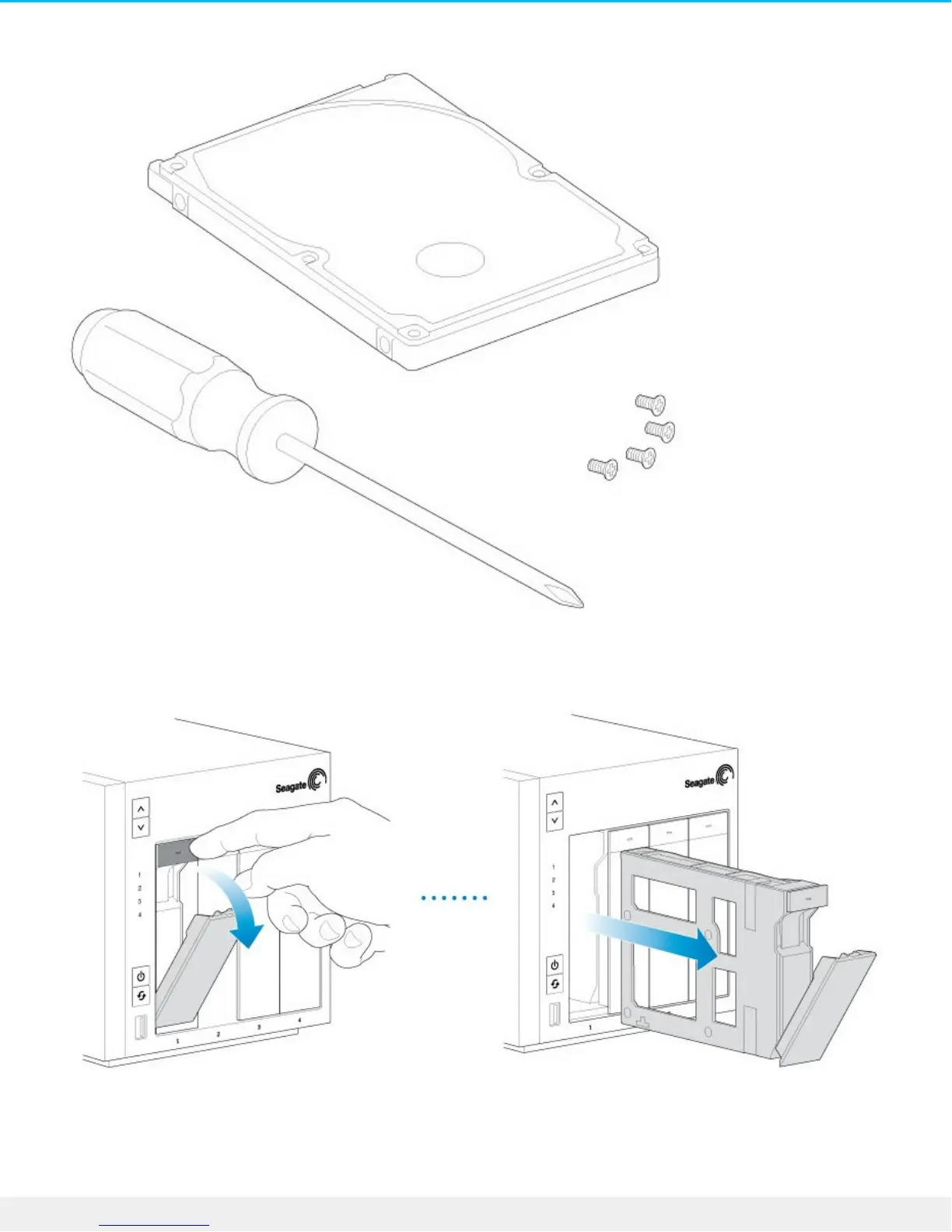
You can add the 2.5-inch hard drive or SSD to an empty hard drive tray or replace an existing disk. Make
certain that the capacity of the 2.5-inch hard drive is equal to or greater than the disk you are replacing.
1. Remove a hard drive tray from the Seagate NAS Pro. It can be empty or filled with a hard drive you want
to replace.
2. If applicable, remove the hard drive by unfastening the four pins and extracting it from the tray
3. The hard drive tray has an SSD adapter switch on the bottom right (Image A). Push it down (Image B).











 To Next Page