2. If the NAS Pro is powered on, use NAS OS to shut down the NAS. If you cannot access NAS OS, apply a
long push (see Operation).
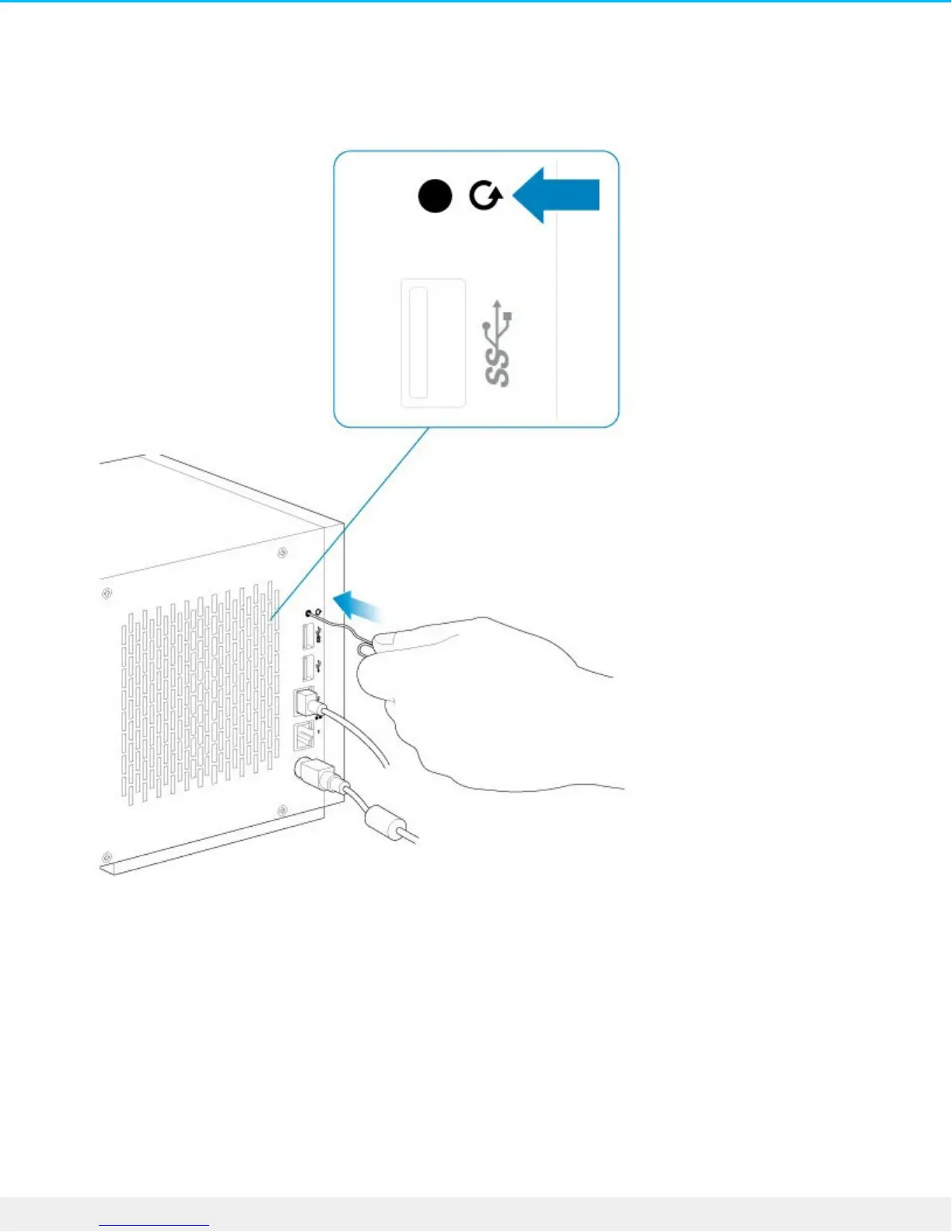
3. Use a thin pointed object (e.g. paperclip, thin screwdriver, etc.) to push the recovery button. See
System Overview for the location of the recovery button.
4. Hold the recovery button while pushing the power button. Continue to push the recovery button for five
seconds.


 To Next Page
 Loading...