Page 6
4) Power Indicator Light –Illuminates green once the tool is switched on.
5) Power Button – Turns on/off the tool.
6) Video-out Port – Connects the tool to a TV using the supplied video-out cable to
view the real-time image.
7) Mini USB Port – Connects the tool to a computer using the supplied USB cable
to exchange information.
8) Micro SD card Slot – Holds the Micro SD card.
9) Battery Compartment Cap- Retains and protects the battery compartment.
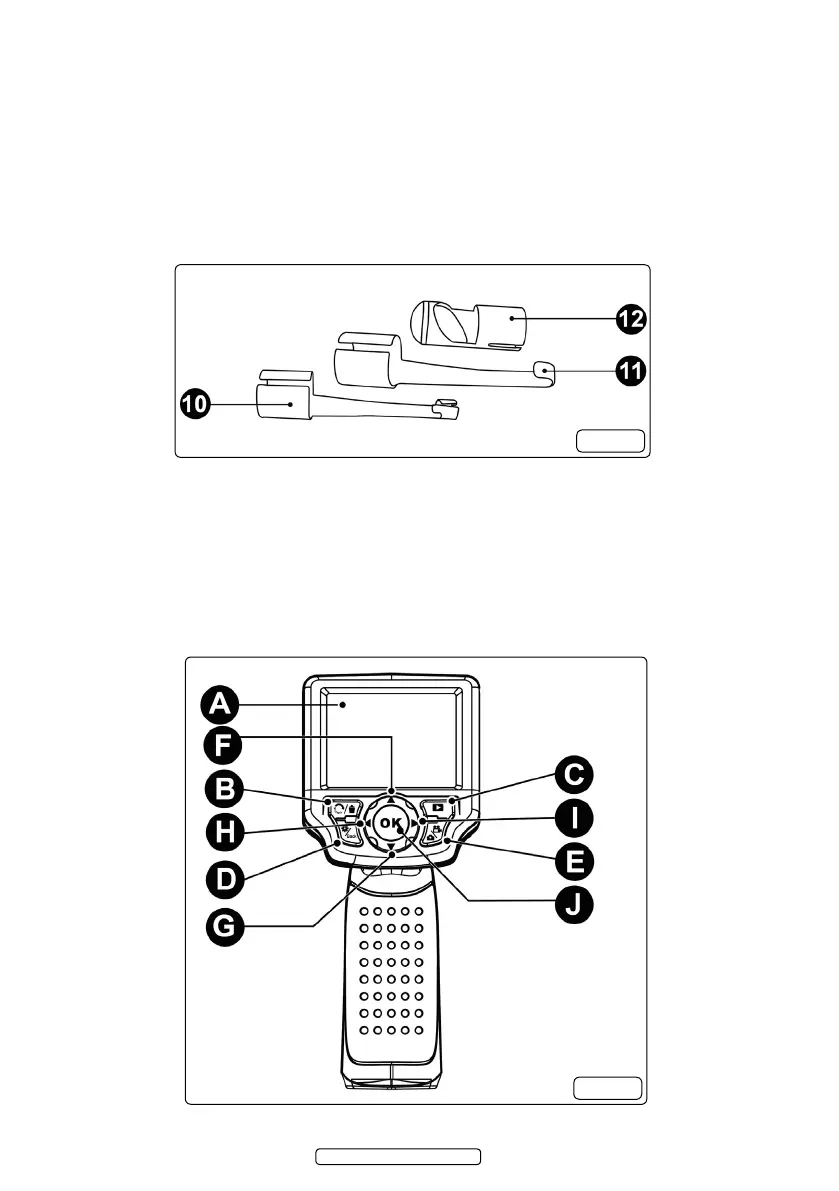
10) Accessory Magnet – Picks up small metal objects.
11) Accessory Hook – Unclogs obstacles and picks up wires in conned areas.
12) Accessory Mirror – Helps users look around corners and view unreachable
areas.
2.5. Buttons and Controls (g.3)
g.2
g.3
© Jack Sealey Limited 2012



 To Next Page
 Loading...




