EasyManua.ls Logo

Seametrics AG3000 Series - User Manual

Seametrics AG3000 Series
24 pages
Print Icon
To Next Page IconTo Next Page
Loading...
PROUDLY
MADE
IN THE
USA
C
e
r
t
i
f
i
e
d
C
o
m
p
a
n
y
ISO
9001
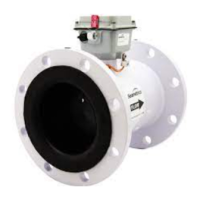
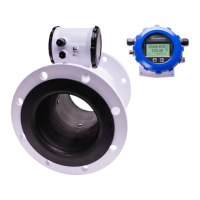
AG3000
Irrigation Magmeter
Instructions
Precision Flow Measurement
An ON
I
CON Brand
5
5
-
Y
E
A
R
W
A
R
R
A
N
T
Y
L
O
N
G
E
S
T
I
N
T
H
E
I
R
R
I
G
A
T
I
O
N
I
N
D
U
S
T
R
Y
Free battery replacement at year ve with warranty registration!

Questions and Answers

  • D
    David CarterAug 4, 2025
    Why does the flow rate reading fluctuate excessively on my Seametrics AG3000 Measuring Instruments?
    • L
      Leslie MorrisAug 5, 2025
      Excessive fluctuation in the flow rate reading, even when the flow is constant, can stem from several factors. It could be due to turbulent or unsteady flow caused by partially closed valves or obstructions. Ensure the pipe is full, possibly by adding back pressure. If you're combining multiple upstream flow sources, it may cause pulsing flow; try moving the connection point further upstream. Insufficient mixing of upstream chemicals can also be a factor, so move chemical injection downstream from the meter. Low fluid conductivity (less than 20 µS/cm) may require a different type of meter. Electrical noise or a defective AC switching power supply can also cause fluctuations; improve grounding, increase distance from noise sources, or replace the power supply.
  • S
    Sandra PattersonAug 11, 2025
    What to do if my Seametrics AG3000 Measuring Instruments display is blank?
    • B
      Bradley ScottAug 11, 2025
      A blank display on your Seametrics Measuring Instruments can be due to several reasons. First, check the wiring from the power source to the meter for any incorrect connections. Use a DMM to measure the voltage at the terminal block TB1 on the back of the display, ensuring correct polarity and a steady voltage between 9Vdc and 32Vdc. Also, ensure the battery is properly plugged in. If the battery is dead, replace it.
  • B
    Brent TylerAug 27, 2025
    What to do if pulse/frequency output is erratic on Seametrics AG3000?
    • M
      Mark UnderwoodAug 27, 2025
      If the flow rate appears correct but the pulse/frequency output is erratic or too high, it may be caused by electrical noise interfering with the pulse frequency signal. Try to isolate, remove, or reduce these noise sources. Ensure you are using the correct type of cable, specifically a twisted pair cable with both signal wires on the same twisted pair. A grounding problem could also be the cause, so try improving or using a different grounding method.
  • M
    mollykellySep 10, 2025
    Why is the pulse/frequency output low on my Seametrics Measuring Instruments?
    • T
      Tyler BryantSep 12, 2025
      If the flow rate appears correct, but the pulse/frequency output is low, erratic, or absent, it could be due to incorrect wiring. Compare your wiring with the recommended configurations. The external device input impedance might be too low; try using a sourcing rather than a sinking interface connection. Also, a cable that is too long may cause this issue; try reducing the interface pull-up resistance.

Summary

General Information

AG3000 Series Overview

Describes the product's purpose, applications, and key features like unobstructed flow and low maintenance.

Features

Highlights physical components like the hinged cover, user access lid, and powder-coated housing.

Specifications

Details technical parameters such as pipe sizes, materials, pressure, temperature, accuracy, and output options.

Dimensions

Provides physical measurements (L, H, T, ID) and shipping weights for various AG3000 meter sizes.

Accuracy

Presents an accuracy graph versus flow velocity and flow rate data for different pipe sizes.

Installation

Straight Pipe Recommendations

Illustrates recommended upstream and downstream pipe lengths for optimal meter performance.

Full Pipe Recommendations

Explains how to ensure the pipe is full and avoid air pockets for accurate readings.

Positioning the Meter

Discusses meter installation orientation, vibration, and suction considerations for proper function.

Installing Gaskets

Details the requirement and process for installing gaskets to ensure a proper seal and maintain warranty.

Tightening Flange Bolts

Provides a sequence and torque specifications for tightening flange bolts to ensure leak-free installation.

Equalization and Grounding

Explains electrical grounding procedures for metal and plastic pipe installations for safety and performance.

Connections

AG3000 General Cable Information

Introduces the meter's cable ports, power/output cable types, and connection options.

Cable Gland Opening and Sealing

Describes the procedure for opening cable glands, inserting cables, and ensuring a secure, waterproof seal.

Cable Installation (Wiring)

Provides step-by-step instructions for wiring DC and battery-powered AG3000 meters.

Wiring Diagrams

Illustrates connection diagrams for various AG3000 meter configurations like battery, DC power, pulse, and 4-20mA outputs.

Cable Wiring Table

Presents a comprehensive table mapping pinouts to specific option IDs for meter configurations.

Configuration

Pulse Output Application - Sourcing Mode

Details the electrical configuration for pulse output using the sourcing mode, recommended for low input impedance.

Pulse Output Application - Sinking Mode

Details the electrical configuration for pulse output using the sinking mode, recommended for high input impedance.

Analog (4-20 mA Current Loop) Output Application

Explains the setup for the 4-20mA current loop output, including loop power and external resistor requirements.

Cable Shield

Discusses the proper handling of cable shields to minimize ground loop issues.

Pulse Output Configuration and Timing

Covers setting pulse output scaling (SETP), units, width, and timing for battery-powered units.

Analog and HART Output Configuration

Explains configuration for 4-20mA output and HART protocol, including polling address settings.

Modbus Serial Communication Configuration

Details the setup for Modbus communication, including serial port configuration and protocol support.

Digital Output Configuration and K-Factors

Covers configuration for high-frequency digital outputs and provides corresponding K-factor values.

Operation

Changing Flow Meter Settings - Home Screen and General Navigation

Explains how to navigate the meter's home screen and use the light-sensor buttons for setup.

Making Selections

Describes the process of selecting parameters and changing values within the meter's menu system.

Changing Total Direction;Resetting Totalizers

Details how to alter the totalizer direction and reset batch totalizers.

Entering Menu System

Guides users on accessing the meter's configuration menus using the passcode entry system.

Standard Menu Options

Lists and describes standard menu items for configuring units, pulse output, and damping.

Special SUBMENU for Further Options

Explains how to access advanced submenus for meter information, communication settings, and HART addressing.

To Change a Passcode and Decimal Places

Provides instructions on modifying the meter's passcode and adjusting total decimal place settings.

PLMIN

Explains the PLMIN setting and its role in activating the DAMP filter for meter reading stability.

TEST

Describes how to use the TEST feature to simulate flow for verifying connected equipment functionality.

Power Indicators

Explains the meaning of the power plug and battery status icons (OK, LO) on the display.

Battery Powered Unit Operation

Covers waking up battery units, setting sample periods, and understanding battery life implications.

Troubleshooting & Error Messages

Troubleshooting

Lists common problems, their probable causes, and suggested troubleshooting steps for the AG3000 meter.

Error Messages

Details specific error messages displayed by the meter, their descriptions, and associated notes or loop outputs.

SEAMETRICS LIMITED WARRANTY

Limited Warranty Terms

Outlines the warranty coverage, limitations, exclusions, and conditions for the AG3000 product.

Seametrics AG3000 Series Specifications

General IconGeneral
Measurement TechnologyElectromagnetic
CommunicationModbus RTU
PowerDC
Operating Temperature-20 to 60°C
Measurement Range0.03 to 33 ft/s (0.01 to 10 m/s)
OutputModbus RTU
Process ConnectionFlanged
Electrical ConnectionCable gland or conduit
Material316 Stainless Steel

Related product manuals