66 •
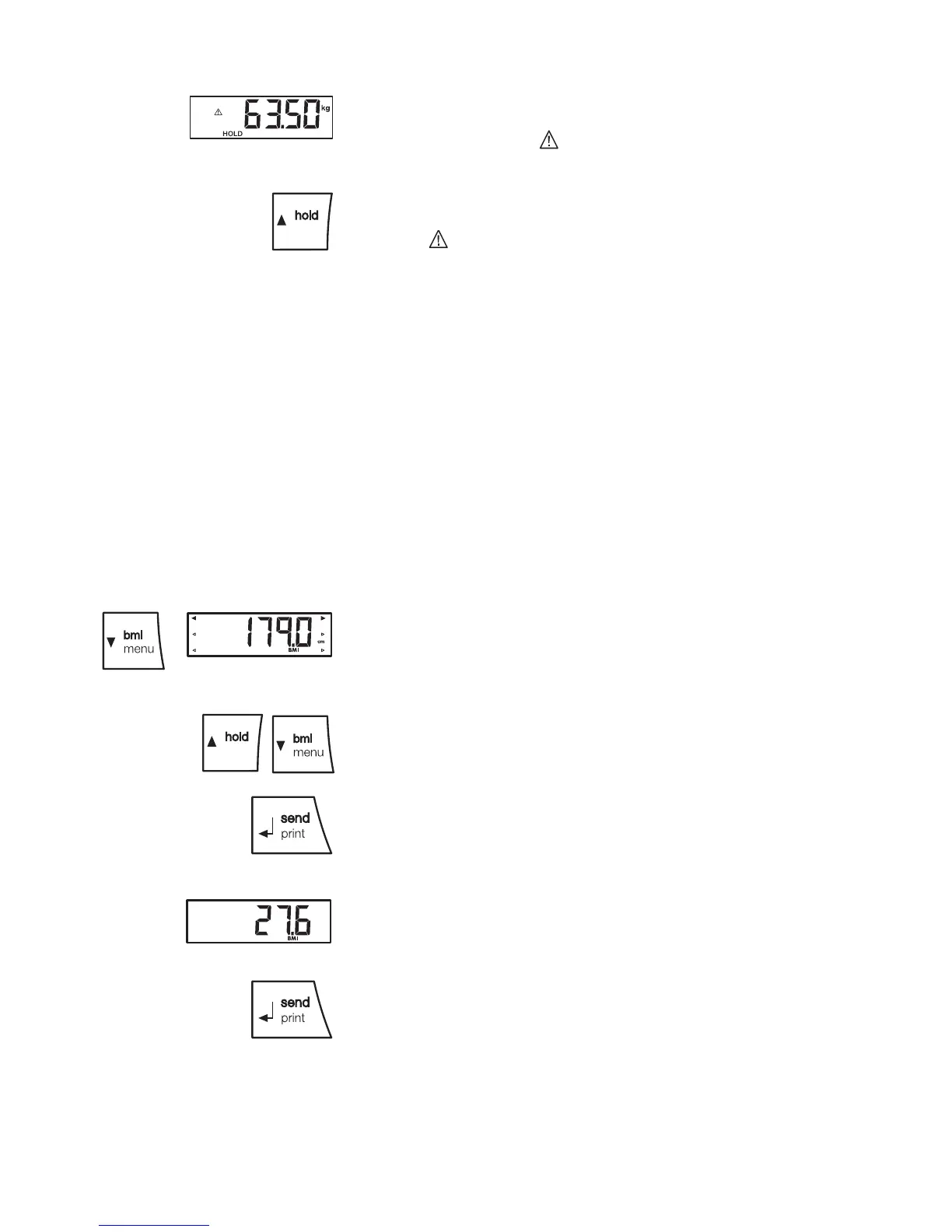
The display will flash until a stable weight is mea-
sured. The weighing value will then be displayed
continuously. The symbol (non-calibratable func-
tion) and the message "HOLD" will be displayed.
5. To disable the HOLD function, briefly press the ar-
row key (hold/tare).
The symbol and the message "HOLD" will no
longer be displayed.
NOTE:
If the auto hold function is activated, the weight
value is displayed permanently automatically
until the scale switches itself off or is switched
off (see "Activate Autohold function (Ahold)" on
page 70).
Determine and evaluate
body mass index (BMI)
The body mass index compares height and weight, so
resulting in more accurate figures than with Broca's for-
mula for ideal weight. It includes a tolerance range
which is considered ideal in health terms.
1. Check that there is no load on the scales.
2. Switch the scale on.
3. Briefly press the arrow key (bmi/menu).
The message "BMI" appears.
Arrows can be seen flashing in the display.
The height last entered is displayed.
4. You can either accept this height or select another
value using the arrow keys.
5. Confirm your selection with the Enter key (send/
print).
6. Weigh the patient as described in section “Start
weighing”.
7. Read off the BMI and compare it with the
categories given below.
8. To disable the BMI function, briefly press the Enter
key (send/print).
tare
tare


 To Next Page