seca 360° wireless Network • 75
7.2 Operate scales in a wireless group (menu)
All functions required to operate the device in a
seca wireless group can be found in the submenu "rF".
Information how to navigate in the menu can be found
onpage 69.
Activate wireless
module (SYS)
The device is supplied with the wireless module dis-
abled. It has to be activated before you can set up a
wireless group.
NOTE:
When the wireless module is activated, the
power consumption of the device will increase.
We recommend using a power supply unit
when operating the device in a wireless net-
work.
1. Switch the device on.
2. Select the menu item "SYS" in the "rf" submenu.
3. Confirm the selection.
4. Select "on".
5. Confirm the selection.
You will leave the menu automatically.
Set up wireless group
(Lrn)
To set up a wireless group proceed as follows:
1. Switch the device on.
2. Call up the menu.
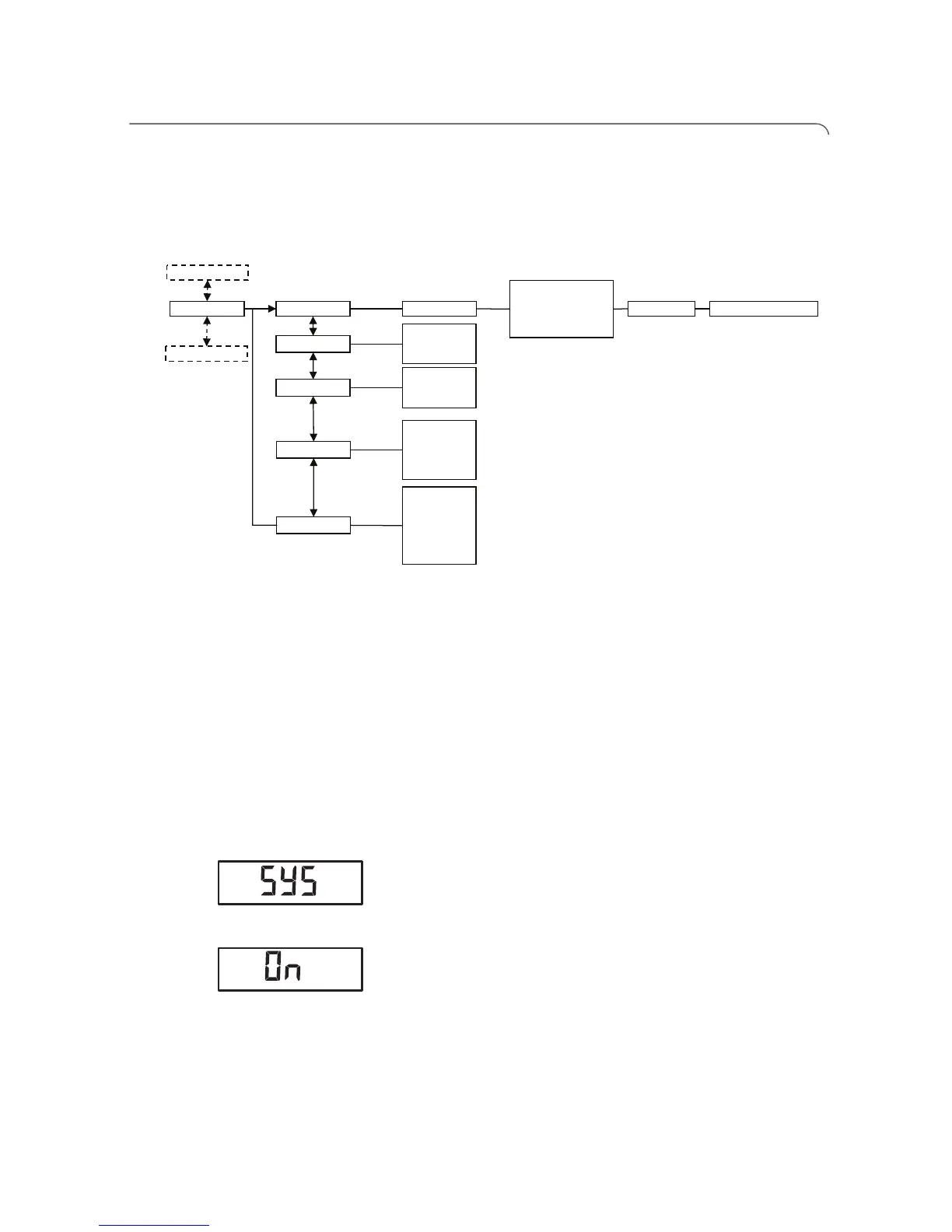
Reg. Devices (M)
• Channel 1 (C1)
• Channel 2 (C2)
• Channel 3 (C3)
StoprF Group (ID)
Autosend
• on
• off
Autoprint
• HI
• MA
• HI_MA
• off
Time
• Year
• Month
• Day
• Hour
• Minute
……
System
• on
• off
……
learn


 To Next Page