Overview • 53
4. OVERVIEW
4.1 Controls/Features
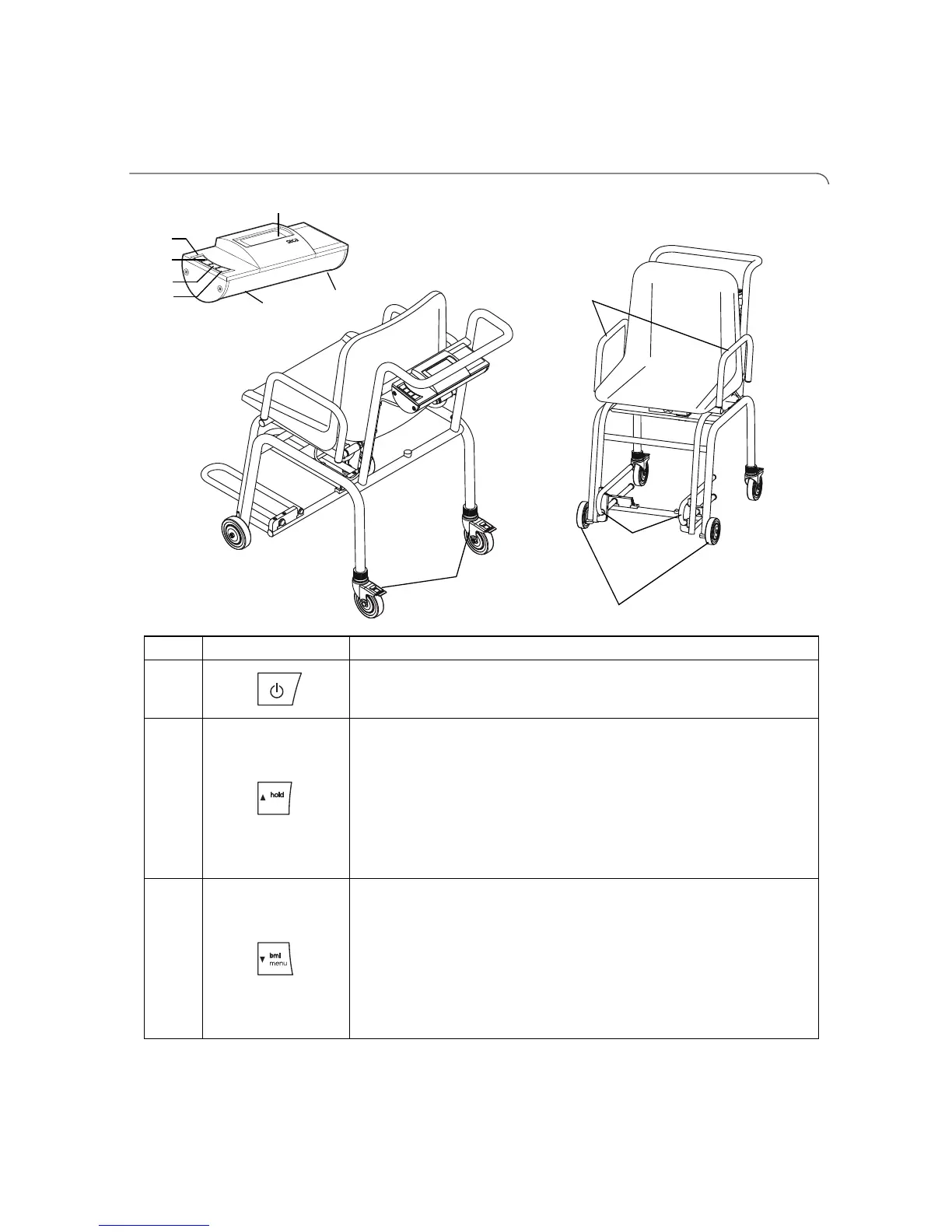
No. Control/Feature Function
1
To switch scales off and on
2
Arrow key
•While weighing:
-Short press: Activate hold function
-Long press: Activate tare function
•On the menu:
-Select submenu, select menu element
-Increase value
3
Arrow key
•During weighing:
-Press briefly: Activate BMI function
-Hold down: Call up menu
•In menu:
-Select submenu, select menu item
-Reduce value
tare


 To Next Page