16 •
17-10-07-602-002d_10-2019S
Starting the weighing procedure
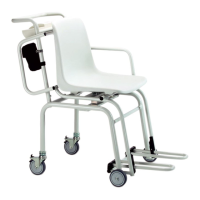
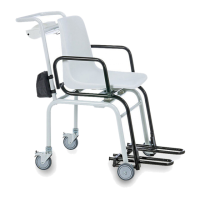
1. Set the wheel brakes of the rear transport rollers.
2. Fold the armrest toward the back in order to make it easier for the patient
to sit down.
3. Make sure that the scale has no load.
4. Switch the scale on.
5. Ask the patient to sit down on the scale.
6. Fold the footrests down.
7. Ask the patient to put his feet on the footrests.
8. Fold the armrests down.
9. Read the measuring result.
Taring off additional weight (TARE) You can use the TARE function to prevent the weighing result from being
affected by an additional weight (e.g. a towel or pad on the weighing surface).
NOTICE!
Incorrect measurement as a result of force shunt
If an additional weight is in contact with the surface on which the
device is resting, measuring results will be incorrect.
► Make sure that additional weights are placed only on the weighing
platform.
1. Switch the scale on.
2. Place the additional weight on the scales.
3. Hold down the arrow key hold/tare until “NET” appears in the display.
4. Wait until the display stops flashing and is replaced by 0.00.
5. Weigh the patient as described in section “Starting the weighing proce-
dure”.
6. Read off the measuring result.
The additional weight has been automatically deducted.


 To Next Page
 Loading...