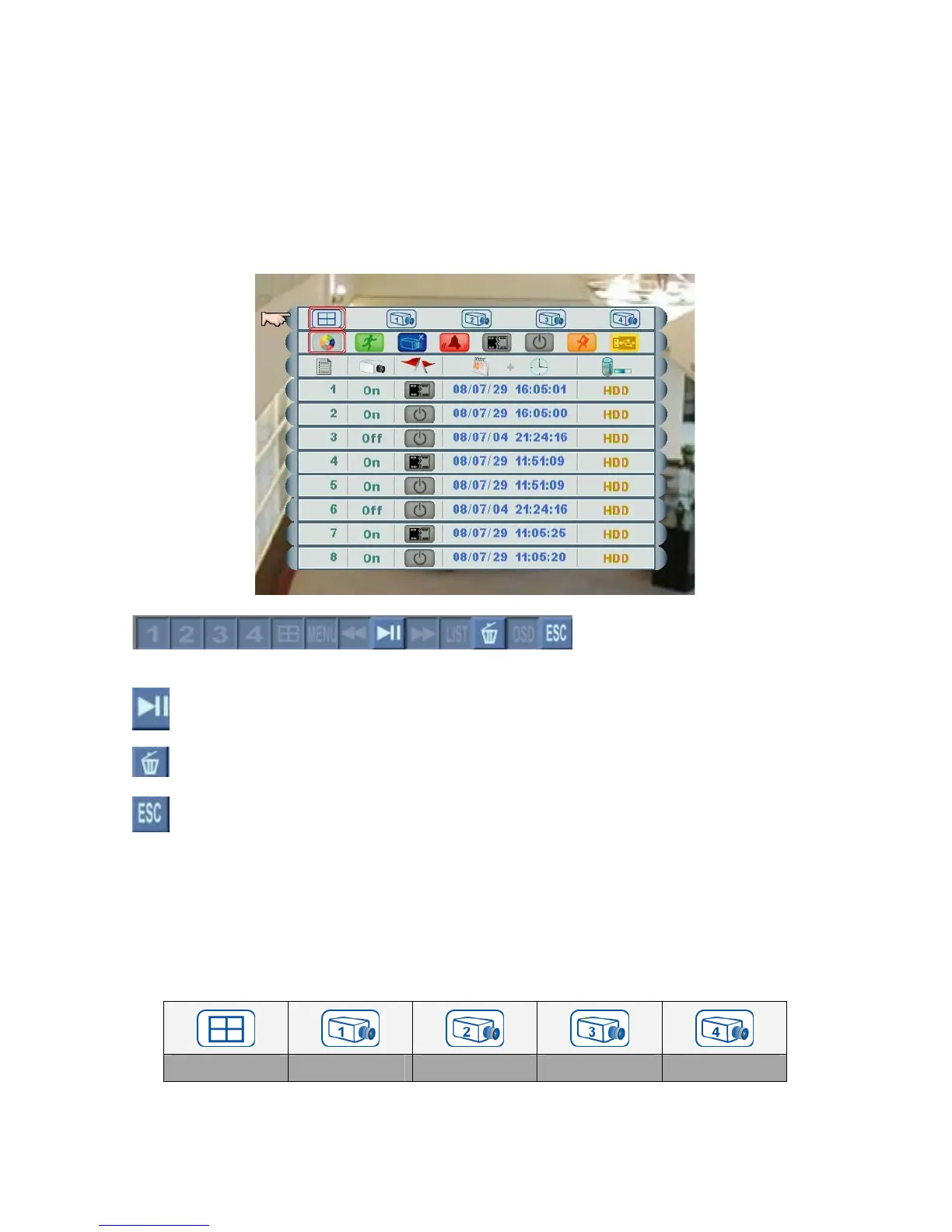
If users set “Password Enable” as O, the DVR will request level 2 (ID: 2) password to
enter Event List. Default: ID: 2, Password: 2222 (Refer to Section 4.2 Setup – DVR
Password).
Each HDD is allowed to save up to 256 events. If users change a new HDD, the event
list will be moved together with the old one.
Left click the mouse on this button to play/pause the event.
Left click the mouse on this button to delete the selected event.
Left click the mouse on this button to go back to the previous page.
Event Filter
Users are able to search events by channels, or event filters.
1. Channels: click the mouse on one of below icons to show specific events by all or
specific channel(s).
All Channels Channel 1 Channel 2 Channel 3 Channel 4
Page 14



 To Next Page