5. Network
System Requirements
It is necessary to prepare for a PC which is come with qualified versions of hardware and
software to make Internet Explorer connect
System Requirements
1. PC: Intel Pentium 4 or higher, 512MB RAM, 1GB HDD space
2. Operating System: Microsoft Windows 2000, XP or Vista
3. Web Browser: Internet Explorer 6.0 or above
4. Quick Time: please go to www.apple.com/quicktime/download
to download the latest
version.
Getting Start
Before connecting to DVR via Internet Explorer browser, users will need to change some
settings of QuickTime Player and NetView as below steps.
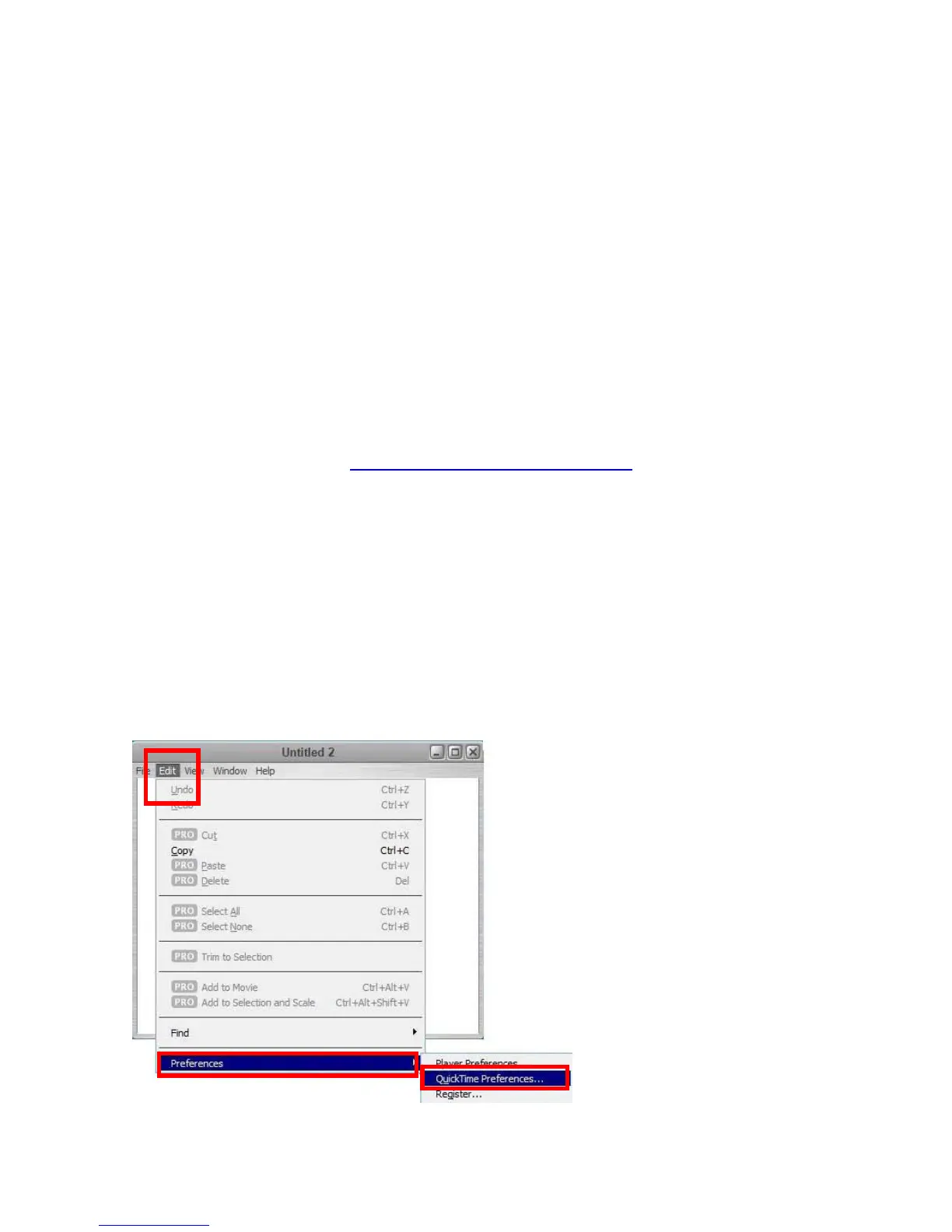
Step 1
Open QuickTime Player, choose [Edit] Æ [Preferences] Æ [QuickTime Preferences]
Page 38



 To Next Page