Setup
Click the button [Setup] to set the network settings.
NOTE: All Users of ID: 7, 8 and 9 are able to enter setup mode, but only ID: 9 is
authorized to change DDNS and PPPoE settings.
1. Streaming
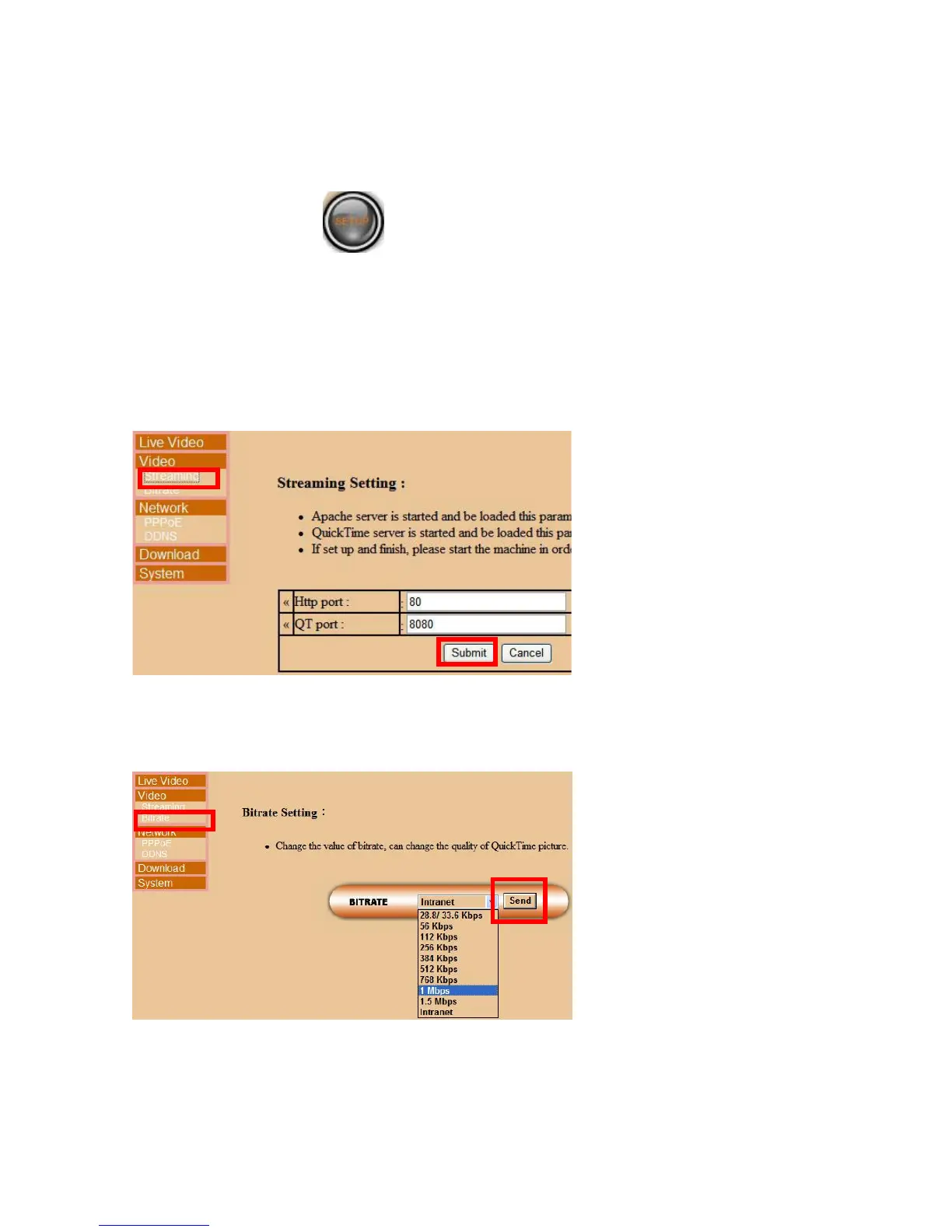
Click [Streaming] to set the ports for Http and QuickTime, click [Submit] to save the
settings.
2. Bitrate
Click [Bitrate] to select an appropriate bitrate → click [Send] to save the setting.
NOTE: The higher the Bitrate, the better the video quality, and lower the frame rate.
Intranet users should choose “Intranet” for the best video quality.
Page 52



 To Next Page