Step 2
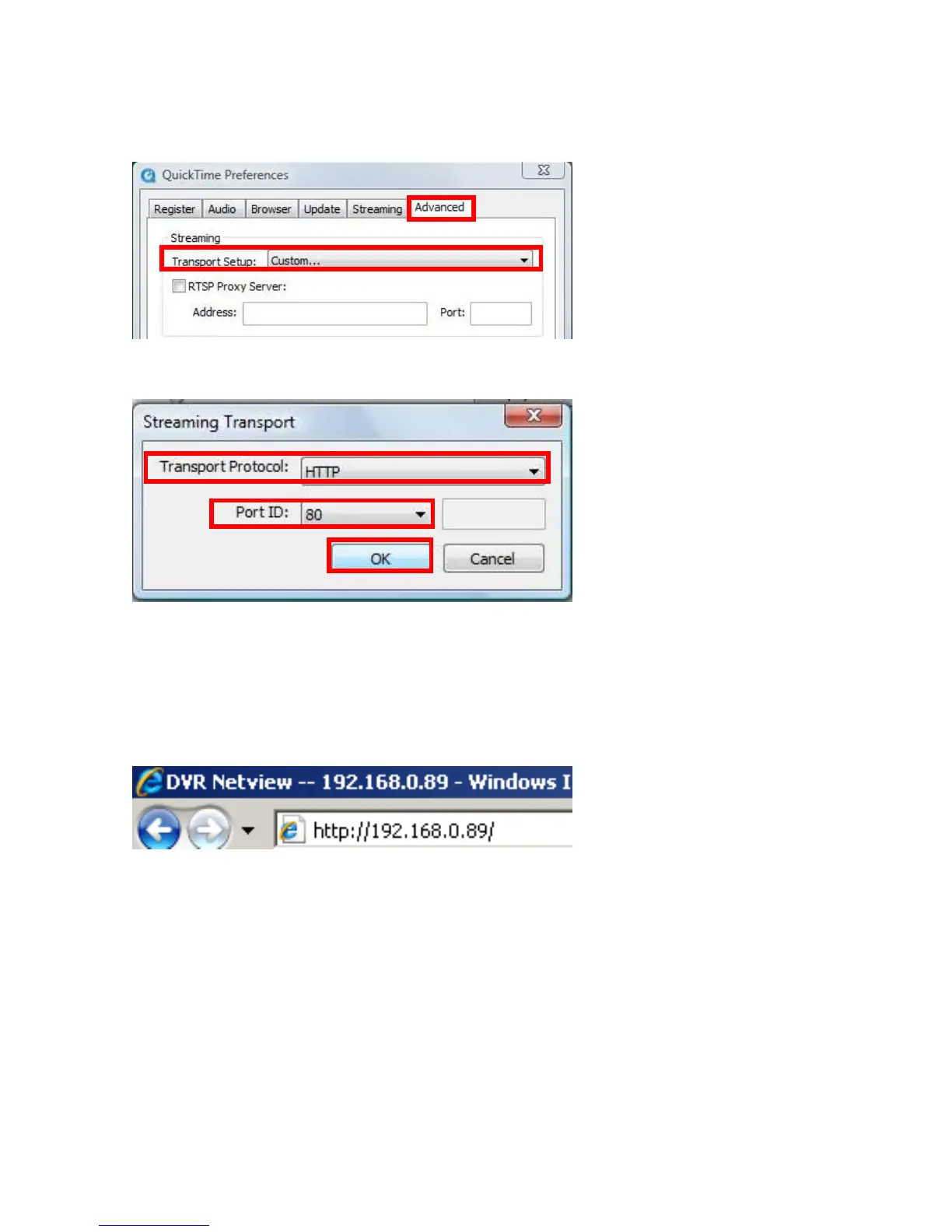
Choose [Advanced] → set Transport Setup as [Custom…]
Set Transportation Protocol as [HTTP] → and set Port ID as [80] → [OK]
NOTE: The default Port ID is 80, users are able to change the value properly according
to their network settings.
Step 3
Open INTERNET EXPLORER browser, enter IP address of the DVR, and press [Enter].
(The default IP address of the DVR: 192.168.0.89)
Page 39



 To Next Page